Meta AI “Vibes” How-To Guide
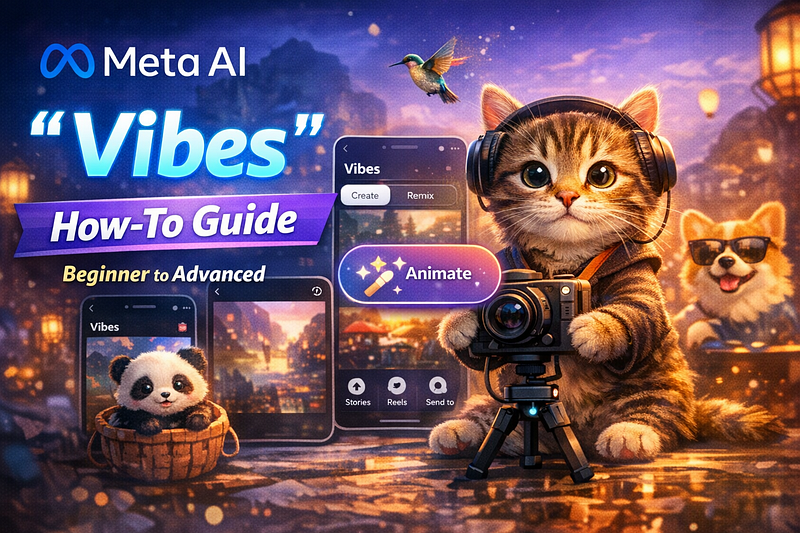
A practical playbook for creating and growing AI videos from beginner to intermediate to advanced
Intro (the conclusion upfront)
“I want to make videos, but editing is hard.” “I’m running out of ideas.” Meta AI’s Vibes can significantly reduce that friction. Vibes is a feature that bundles the full loop of short-form AI video: create, discover, remix, and post, all inside a single feed experience. Meta also explicitly states that videos made in Vibes can be posted to Vibes, sent via DM, and shared to Instagram/Facebook Stories or Reels. (Facebook)
Section 1: Why you should learn Vibes early
Vibes matters because it directly connects generative AI to social distribution. It is not only about generating a video; it is designed so you can start from a feed example, remix it, and publish in one straight line. That makes it easier for beginners to learn by doing and quickly develop repeatable “formats.” Reuters also reported that Meta is rolling out Vibes as a place to create and share short AI-generated videos through the Meta AI app and meta.ai. (Reuters)
A simple analogy: Vibes is closer to a DJ booth than a traditional video editor. You look at existing tracks (examples), tweak a few knobs (style, sound, look), and publish your own version. That low learning cost is the core advantage.
Section 2: Common objections, answered in advance
Objection 1: “Won’t AI videos become shallow content?”
Yes, if you mass-produce without intent, quality drops. In fact, concerns about “AI slop” (low-quality mass-generated content) have been widely discussed. (The Guardian)
However, the real cause is not AI itself but the lack of a clear subject and audience. If you decide who it is for, what you are delivering, and what mood you want viewers to feel, AI becomes a production accelerator rather than a quality killer.
Objection 2: “Is remixing basically copying?”
That pushback is fair. The key is the intent behind the question: are you trying to “cut corners to grow,” or are you looking for a faster learning path? Vibes is clearly oriented toward the latter. It makes it easy to observe prompts and outputs, change a small part, and publish to learn quickly. The Verge also describes how Vibes shows prompts alongside generated results and supports remixing by changing music, images, and animation. (The Verge)
Operationally, you can move from imitation to creation by mixing in your own materials and building a series with consistent context.
Section 3: Step-by-step workflow by skill level
The steps below are the shortest practical routes, starting from beginner. The UI can change over time, so assume you will look for labels like “Vibes,” “Create,” “Remix,” and “Animate.” (meta.com)
Beginner: Make your first video (15 minutes)
Goal: one still image to a short moving clip to a post
- Entry point
Open the Meta AI app or visit meta.ai (Vibes is rolling out by region and account). (Reuters) - Prepare one asset
Pick one of your own photos (food, desk setup, street scene, etc.). - Turn an image into video
In your Meta AI thread, open the image and tap “Animate.” Add a short instruction if needed. (meta.com) - Post
Publish to Vibes or share via DM. If it fits, cross-post to Instagram/Facebook Stories or Reels. (Facebook)
Beginner prompt examples (keep them short)
- “Soft light, slow push-in camera movement”
- “Paper-texture anime style with gentle sway”
- “After-the-rain reflections, cinematic mood”
Image ideas to include in the article
- 4 screenshots of the workflow (Vibes list → Animate → result → posting screen)
- Before/After (original image alongside a representative frame from the generated video)
Intermediate: Build a repeatable format (remix operations)
Goal: learn from examples and reliably recreate “winning” expressions
- Save 3 high-performing vibes
Keep them within one theme (cats, cooking, city, fantasy, etc.). - Remix
Choose “Remix” from a vibe and change only one variable. (meta.com)
Options:
- Only the music
- Only the style (anime-like, cinematic, etc.)
- Only the motion (zoom, pan, shake)
- Mix in 20 to 30 percent of your own material
One photo, a short line of narration, or minimal captions. - Expand distribution
Post on Vibes, then also test on Reels or Stories to compare responses. (Facebook)
Intermediate tips
- Make 3 videos in one theme using the same template (change only one variable)
- Write captions that reflect the viewer’s situation (for example: relaxing at night, good for morning focus)
Video ideas to include in the article
- 3 variants generated from the same source image (style comparison)
- Before/After remix comparison (music-only change)
Advanced: Turn it into an asset (series and system design)
Goal: build a sustainable engine, not a one-off viral hit
- Lock a concept
Example: “One clip per day that shifts your mood in 3 seconds” - Create a template
- The theme is obvious in the first second
- Motion lands on the second beat
- A lingering aftertaste at the end
- Design your posting flow
Use Vibes to test and identify winners, then push the winning pattern to Reels. Some reporting frames Vibes as a discovery and experimentation surface. (The Verge) - Risk management
Avoid questionable rights situations and direct recreations of specific IP. Criticism has also highlighted copyright concerns. (PC Gamer)
Advanced prompt structure (a reusable framework)
- Subject: what is moving
- Motion: camera movement or subject movement
- Texture: anime, clay, film, paper
- Light: morning, sunset, neon, overcast
- Emotion: calm, excitement, bittersweet
Q and A (frequently asked)
Q1. I can’t see Vibes
A. It may be a staged rollout by region and account. Meta has announced expansion, so update the app first and then check meta.ai. (Facebook)
Q2. What is the easiest way to make a video from an image?
A. Open the image in your Meta AI thread and tap Animate. Add a short instruction if needed. (meta.com)
Q3. How far can remixing go?
A. Meta Help Center states you can remix a vibe by editing or changing it. Specific options can change over time, but music, look, and motion are the core axes. (meta.com)
Q4. Where should I post?
A. Test on Vibes first, then cross-post the strongest clips to Reels or Stories. Meta explicitly describes cross-post flows. (Facebook)
Practical checklist you can run today
- Choose one theme (cats, cooking, city, study visuals, etc.)
- Prepare 10 source images (keep them consistent in style)
- Post your first clip using the beginner workflow
- Create 3 clips using the “change only one variable” rule
- Cross-post the best performer to Reels
- Tomorrow, reuse the winning template and swap only the source image
Summary
Vibes is designed to shorten the loop: see examples, change a small piece, and post immediately. Start with one Animate clip from a single image, use remixing to develop a repeatable format, then systematize it into a series that becomes a posting asset. (Facebook)
CTA (an ending that invites the next read)
Next, I can build a bundle tailored to your theme: 20 high-performing Vibes-ready prompts plus a 3-episode mini-series script template. Just tell me the theme (for example: soothing cats, focus visuals, fantasy city walk). I will deliver it in copy-paste form so you can run it immediately.
コメントを残す