Get $200/Month Worth of AI Development Tools Completely Free
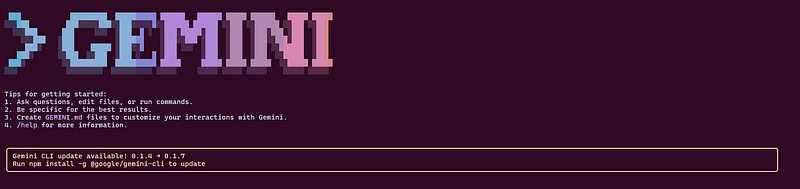
Why you need to read this now: What used to cost $200/month in premium AI development assistance is now available completely free. It’s called “Google Gemini CLI,” and you can set it up in just 30 minutes to boost your development speed by 50% starting today.
Why You Should Start Using Gemini CLI Right Now
Picture this: Instead of writing code line by line, you simply tell an AI “build this feature for me,” and perfect code appears instantly.
This isn’t science fiction. On June 25, 2025, Google made this reality available to everyone — for free — with the launch of Gemini CLI.
Every Developer Frustration You Have? Solved.
“Coding takes forever”
“Learning new technologies is overwhelming”
“Refactoring is a pain”
“No time to write tests”
“Documentation always gets pushed to later”
Gemini CLI solves all of these problems. And it’s completely free.
How Does It Compare to Other Tools?
Tool Monthly Cost Daily Limits Key Feature Claude Code $200 Limited High performance, expensive GitHub Copilot $20 — Code completion focused Gemini CLI FREE 1000 requests Google Search integration
Mind-blowing fact: Gemini CLI’s free tier is more generous than Claude Code’s paid plans.
What You’ll Gain From This Article
In 30 Minutes
✅ Gemini CLI up and running on your machine
✅ Your first auto-generated code in production
✅ One development task already automated
In 1 Week
✅ Daily development tasks 50% faster
✅ Confident in AI-assisted development patterns
✅ Colleagues asking “How are you coding so fast lately?”
In 1 Month
✅ Leveraging AI effectively in complex projects
✅ Learning new technologies at lightning speed
✅ More time for creative, high-level development work
Just How Powerful Is This? Real Examples
Traditional development: Building a Todo app takes 2–3 hours
With Gemini CLI: Same app completed in 30 minutes
Here’s the actual conversation I had with Gemini CLI when building a Todo app:
Me: “Create a modern Todo app with React + TypeScript + Tailwind CSS”
Gemini CLI: “Understood. I’ll create a Todo app with the following structure…”
From that single command, it automatically generated:
- Complete project structure
- Full React components
- TypeScript type definitions
- Tailwind CSS styling
- Local storage functionality
- Responsive design
This is real. This is now.
Get Started Right Now (Foolproof Setup Guide)
First, Check: Is Your System Ready?
Run these commands to verify:
node --version  # Need 18.0 or higher
npm --version   # Verify installation
If Node.js is outdated, download the latest from nodejs.org.
Step 1: Get Your Google AI API Key (3 minutes)
- Visit Google AI Studio
- Click “Get API Key”
- Create a new project
- Copy your API key (never share this with anyone)
Important: This API key gives you 1 million free tokens monthly — worth approximately $200.
Step 2: Install Gemini CLI
# One-command installation
npm install -g @google/gemini-cli
# Or try without installing
npx https://github.com/google-gemini/gemini-cli
Step 3: Configure Your API Key
# Windows
$env:GEMINI_API_KEY = "your-api-key-here"
# Mac/Linux
export GEMINI_API_KEY="your-api-key-here"
Step 4: Test It Works
gemini "Hello, World!"
You should see a response like “Hello! I’m ready to help…” If successful, you’re all set!
Troubleshooting Common Issues:
- Windows: Run Command Prompt as Administrator
- Mac M1: Use
arch -x86_64 npm install -g @google/gemini-cli - API Key Error: Generate a new key in Google AI Studio
Ready-to-Use Commands for Immediate Impact
Auto-Generate Code
# Create React components
gemini "Build a user list component with Material-UI styling"
# Generate APIs
gemini "Create a Node.js Express CRUD API for users with validation"
# Design databases
gemini "Design a database schema for an e-commerce site with ER diagram"
Improve Existing Code
# Convert to TypeScript
gemini "Convert this JavaScript file to TypeScript"
# Optimize performance
gemini "Optimize this React component for better performance"
# Add tests
gemini "Create Jest unit tests for this file"
Understand Projects
# Analyze project structure
gemini "Explain this project's architecture and tech stack"
# Generate documentation
gemini "Create a comprehensive README.md for this project"
# Find issues
gemini "Identify potential improvements in this codebase"
Pro tip: Be specific with your requests. Instead of “make it better,” say “optimize with React + TypeScript + Material-UI.”
Maximize Your Free Usage (Power User Secrets)
Smart Usage Monitoring
# Check today's usage
gemini status
# Example output:
# Daily Usage: 347/1000 requests (34.7%)
# Tokens Used: 234,567/1,000,000 (23.5%)
Prioritize Flash Model
# Use Flash Model for simple tasks (faster, fewer tokens)
gemini "Fix this simple bug"
# Save Pro Model for complex work
gemini --model=pro "Design complex system architecture"
Conservation Tips:
- Batch multiple small tasks into one request
- Default to Flash Model, upgrade to Pro only when needed
- Use
gemini resetto clear context after long conversations
Real Developer Success Stories
Sarah (Freelance Developer):
“One month with Gemini CLI and my development speed doubled. React component generation is revolutionary. Work that took all day now finishes by lunch.”
Mike (Startup CTO):
“Rolled out Gemini CLI across our team. Code review time cut in half, more time for feature development. Can’t believe it’s free.”
Jessica (Learning Developer):
“When I get stuck learning to code, Gemini CLI explains everything clearly. It’s like having a personal mentor.”
Smart Tool Combinations (Don’t Choose One, Use Them All)
Use Gemini CLI When:
- Building new features
- Refactoring legacy code
- Learning new technologies
- Analyzing project architecture
Use GitHub Copilot When:
- Real-time code completion
- Working within your IDE
Use Claude Code When:
- Large-scale file operations
- Enterprise projects with budget
Key insight: These aren’t competitors — they’re complementary tools that maximize your effectiveness when used together.
Take Action: 3 Challenges to Start Today
🏃♂️ 5-Minute Challenge
Analyze your current project
gemini "Explain what this project does and how it's structured"
🚀 30-Minute Challenge
Build a simple web app
gemini "Create a calculator app with React + TypeScript"
💪 1-Week Challenge
Automate one development task daily with Gemini CLI
Promise me this: After finishing this article, start with the 5-minute challenge. Without action, even the most powerful tools are worthless.
The Moment Your Development Life Changes
Before reading this article:
- Coding takes too long
- Learning new tech is hard
- Too much time on repetitive tasks
After implementing Gemini CLI:
- Collaborating efficiently with AI
- Learning new technologies at warp speed
- More time for creative, high-impact work
A year from now, you’ll thank yourself for today’s decision.
AI-assisted development isn’t a “nice-to-have” anymore. It’s essential for staying competitive. And right now, you can access the best tool for free.
Final Words: Only Those Who Act Shape Their Future
Reality check: 90% of people who read this will think “that’s cool” and do nothing.
But you’re different. You’ve read this far, which proves you’re serious about growth.
Take these actions right now:
- Open a new browser tab
- Go to Google AI Studio
- Get your API key
- Run
npm install -g @google/gemini-cli - Execute your first command
In 10 minutes, your development journey enters a new era.
Google Gemini CLI is the perfect free tool to elevate your skills to the next level. Don’t let this opportunity pass — take action now.
Your future self will thank you for today’s decision.
Next article: “Gemini CLI vs Claude Code: Head-to-Head Comparison in Real Projects” covering performance analysis and professional usage strategies.
#GeminiCLI #AIDevelopment #FreeTools #DeveloperProductivity
コメントを残す