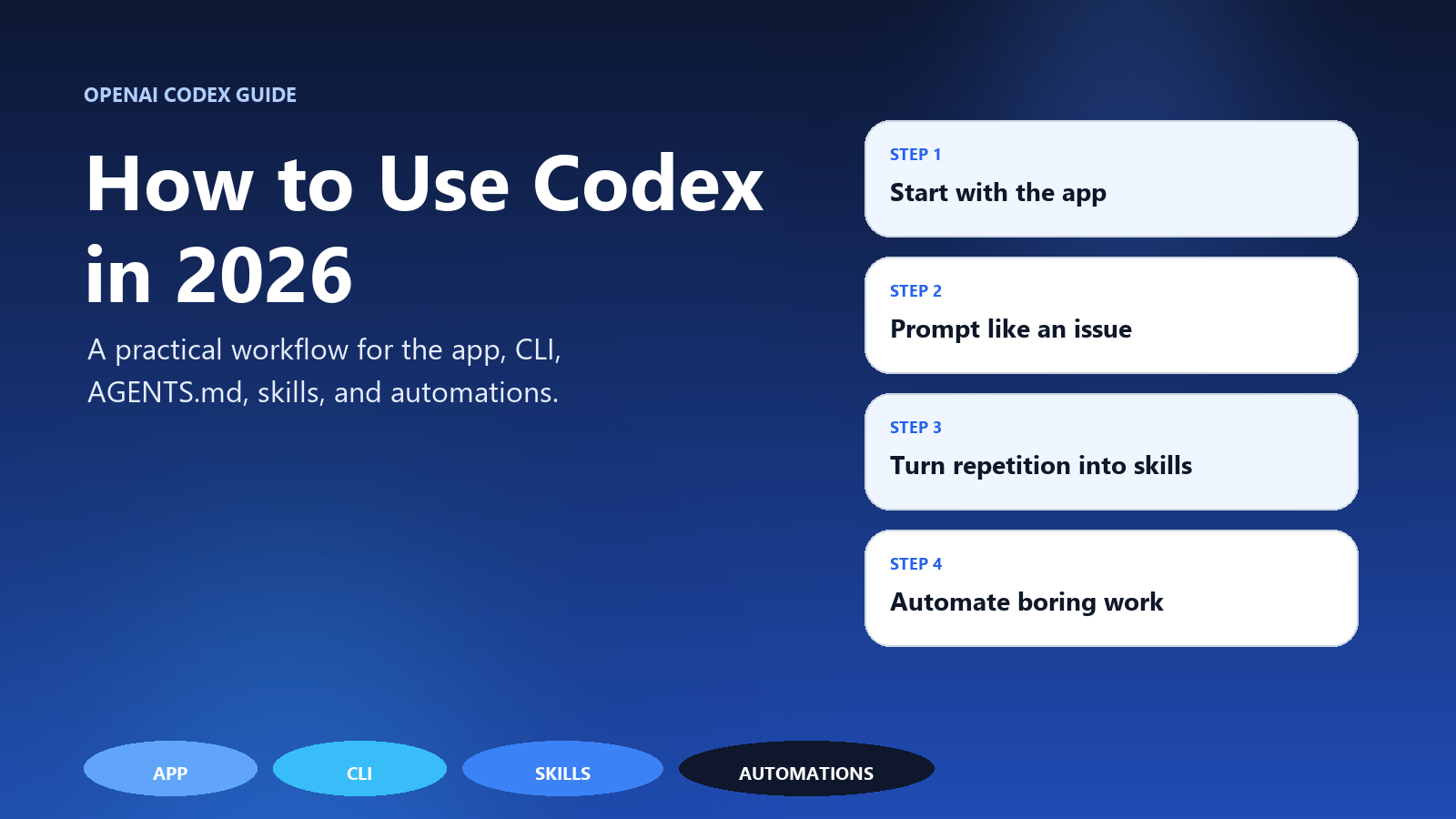
If you looked at Codex once in 2025 and mentally filed it under "CLI coding agent," you are already behind.
On October 6, 2025, OpenAI moved Codex to general availability and positioned it as something you can use across your editor, terminal, and the cloud. On February 2, 2026, OpenAI introduced the Codex app as a command center for multiple agents, with a March 4, 2026 update that brought the app to Windows. Then on April 16, 2026, OpenAI expanded Codex further with deeper support for computer use, images, plugins, SSH, multiple terminals, and ongoing work.
That means the real beginner question in 2026 is no longer "how do I run the Codex CLI?"
It is:
How do I actually make Codex useful in my daily work without turning it into a toy?
This is the practical answer.
- What Codex Is Now
- Where to Start: App or CLI?
- Your First 30 Minutes with Codex
- The Prompting Pattern That Works Best
- Use AGENTS.md, But Keep It Short
- Skills Are Where Codex Starts Becoming a System
- Use Multiple Agents When the Work Is Truly Independent
- Automations Are for Repeatable Chores, Not for Mystery Work
- Codex Gets Better When the Environment Gets Better
- Be Deliberate About Permissions and Safety
- The Best Beginner Use Cases
- A 7-Day Starter Plan
- The Real Takeaway
- Related
- Tools Mentioned
- Turn this idea into a working AI workflow.
What Codex Is Now
OpenAI's current product page describes Codex as "a coding agent that helps you build and ship with AI" and emphasizes four things: real engineering work, multi-agent workflows, Skills, and Automations. In other words, Codex is not just autocomplete and not just one-shot code generation anymore.
At a practical level, Codex now spans:
- the app for managing multiple agents and longer-running work
- the CLI for terminal-native use
- IDE integrations when you want Codex closer to the editor
- cloud / background tasks when you want work to continue without babysitting
If you are new, the simplest mental model is this:
Codex is a teammate, not a search box.
It works best when you give it a repository, a goal, constraints, and a way to verify the result.
Where to Start: App or CLI?
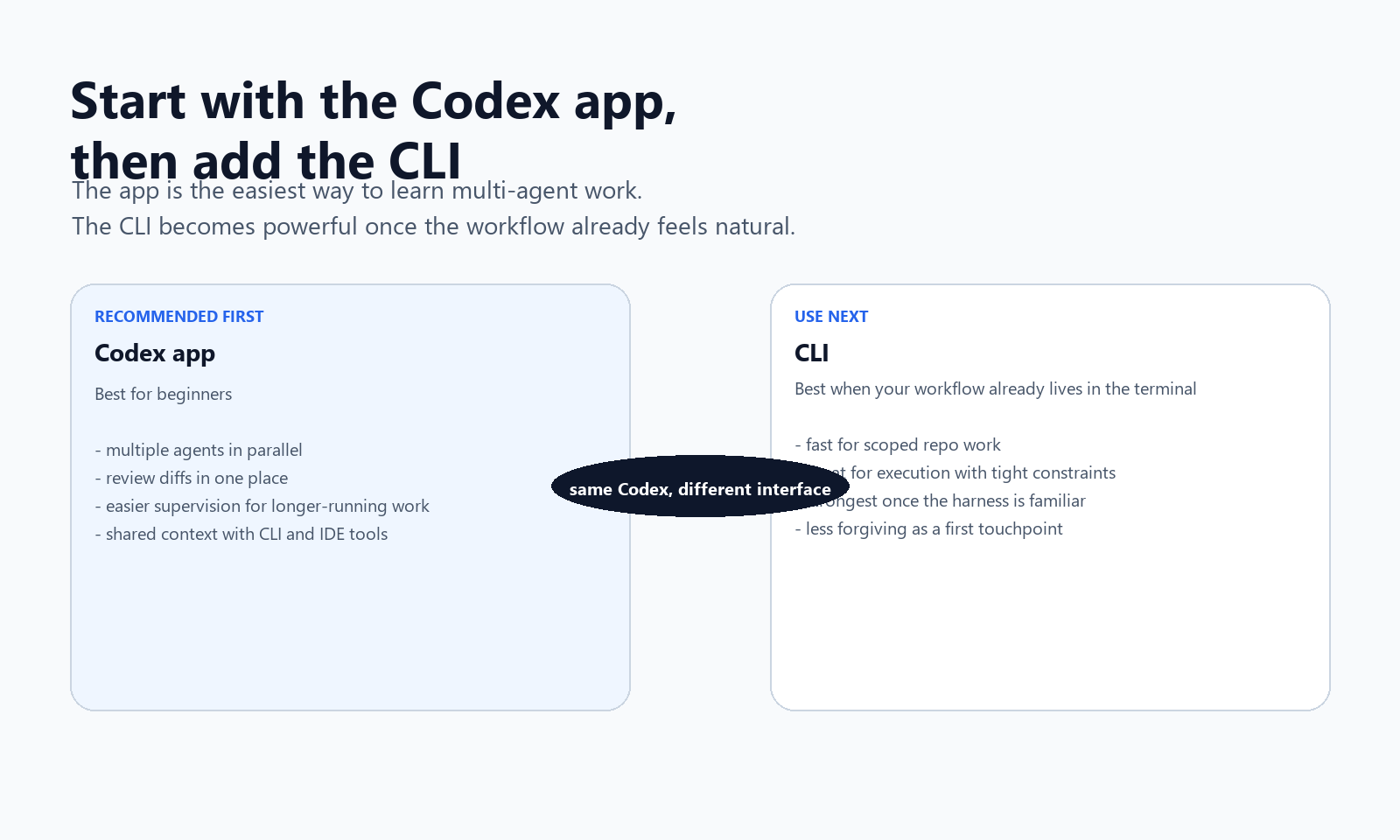
Most beginners should start with the Codex app, not the CLI.
Why:
- OpenAI explicitly designed the app to manage multiple agents in parallel
- it gives you one place to review diffs, switch tasks, and supervise longer-running work
- it shares session history and configuration with the CLI and IDE extension, so you are not locking yourself into the wrong interface
The CLI is still great, especially if you are terminal-native. But the app is the better starting point if you want to understand what Codex can do in 2026 rather than what Codex used to be.
The easiest decision rule is:
- start with the app if you want a smoother on-ramp
- use the CLI if your natural workflow already lives in the terminal
- use both once you have a stable routine
Your First 30 Minutes with Codex
Do not start with a giant migration or a vague dream project. Start with one bounded task in one real repository.
OpenAI's own guidance says Codex works best on well-scoped tasks that would take you or a teammate about an hour or a few hundred lines of code to implement. That is the right beginner scope.
Here is the fastest useful first session:
1. Open a real project
Not a toy repo. Not a blank folder.
Pick something you actually care about:
- a landing page you need to tweak
- a bug you have been avoiding
- a refactor that touches 3 to 6 files
- a page that needs responsive cleanup
Codex gets dramatically better when the work has context.
2. Start with a task that has a clear finish line
Good first tasks:
- "Fix the mobile nav overflow on the pricing page and run the existing tests."
- "Add a
SponsorCTA at the end of these three articles without changing any other sections." - "Trace the authentication flow in this repo and explain where sessions are created and invalidated."
Bad first tasks:
- "Improve the whole app."
- "Rewrite this codebase better."
- "Make this startup succeed."
3. For bigger changes, ask for a plan first
OpenAI recommends starting large changes in Ask Mode so Codex gives you an implementation plan before it starts editing. That is the right habit.
Use Ask Mode when:
- the task is risky
- multiple files will change
- you are not fully sure which approach you want
- you want to sanity-check the agent's understanding first
A good first prompt looks like this:
Please inspect this repo and propose an implementation plan before editing.

Goal:
- Add a sponsor CTA block to the end of the top 5 monetization articles

Constraints:
- Do not rewrite the articles
- Keep the tone practical and non-salesy
- Only edit the specified files

Verification:
- Show which files you plan to change
- Explain where the CTA should go in each file
Then, once the plan looks right, switch to execution.
4. Review the diff and the evidence
Codex is strongest when it can show its work.
From the beginning, OpenAI has emphasized that Codex should provide verifiable evidence like terminal logs, test outputs, and concrete file changes. Do not skip that part.
Your first real habit should be:
- read the summary
- inspect the changed files
- check what tests or commands actually ran
- request one more pass if something feels off
Treat Codex like a fast junior engineer with perfect patience and imperfect judgment.
The Prompting Pattern That Works Best
The biggest beginner mistake is prompting Codex like a chatbot.
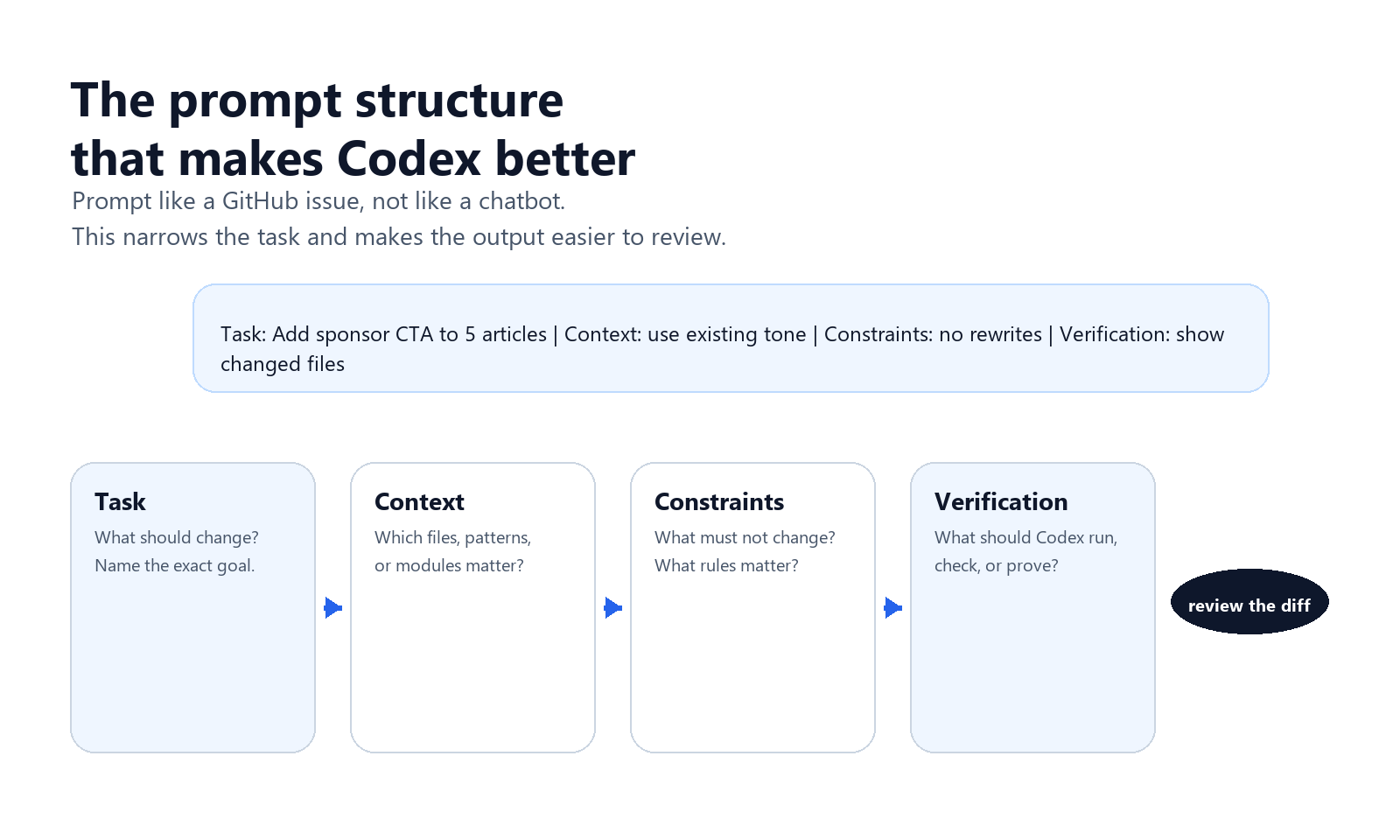
OpenAI's own team recommends structuring prompts more like a GitHub issue or PR task. That means including file paths, component names, examples, constraints, and what success looks like.
This pattern works well:
Task:
- Implement X

Context:
- Relevant files are A, B, and C
- Follow the same pattern used in module Y

Constraints:
- Do not touch unrelated files
- Preserve current behavior except for the requested change
- Keep naming consistent with the repo

Verification:
- Run the relevant tests
- Summarize exactly what changed
That structure does three things:
- It narrows the search space.
- It prevents "helpful" but unwanted side quests.
- It makes the output easier to review.
If you only change one habit after reading this article, change that one.
Use AGENTS.md, But Keep It Short
Yes, you should use AGENTS.md.
OpenAI explicitly says Codex can be guided by AGENTS.md files in your repository, and OpenAI's own teams recommend maintaining one so Codex can carry persistent repo-specific context across prompts.
But there is an important nuance here.
In OpenAI's February 11, 2026 engineering write-up, the team says the "one big AGENTS.md" approach failed. Their lesson was simple: give Codex a map, not a 1,000-page manual.
That is the right way to think about it.
A good AGENTS.md should include:
- how to navigate the repo
- which commands to run for tests, linting, and builds
- naming conventions that matter
- known quirks the code alone does not explain
- pointers to deeper docs
A bad AGENTS.md tries to encode the whole company wiki.
My practical recommendation:
- keep it around 100 lines, not 1,000
- use it as an index
- push durable knowledge into versioned docs inside the repo
The more discoverable your real docs are, the less likely Codex is to hallucinate process.
Skills Are Where Codex Starts Becoming a System
If you stop at "ask Codex to edit files," you are underusing it.
OpenAI describes Skills as bundles of instructions, resources, and scripts that let Codex reliably use tools and workflows the way your team wants. The key word there is reliably.
Skills are what turn one-off prompting into repeatable operating procedures.
Good uses for Skills:
- deploy to Vercel, Netlify, or Render the same way every time
- pull design context from Figma
- read PDFs or spreadsheets
- run a specific QA loop for frontend changes
- use a house style for docs, reports, or article drafts
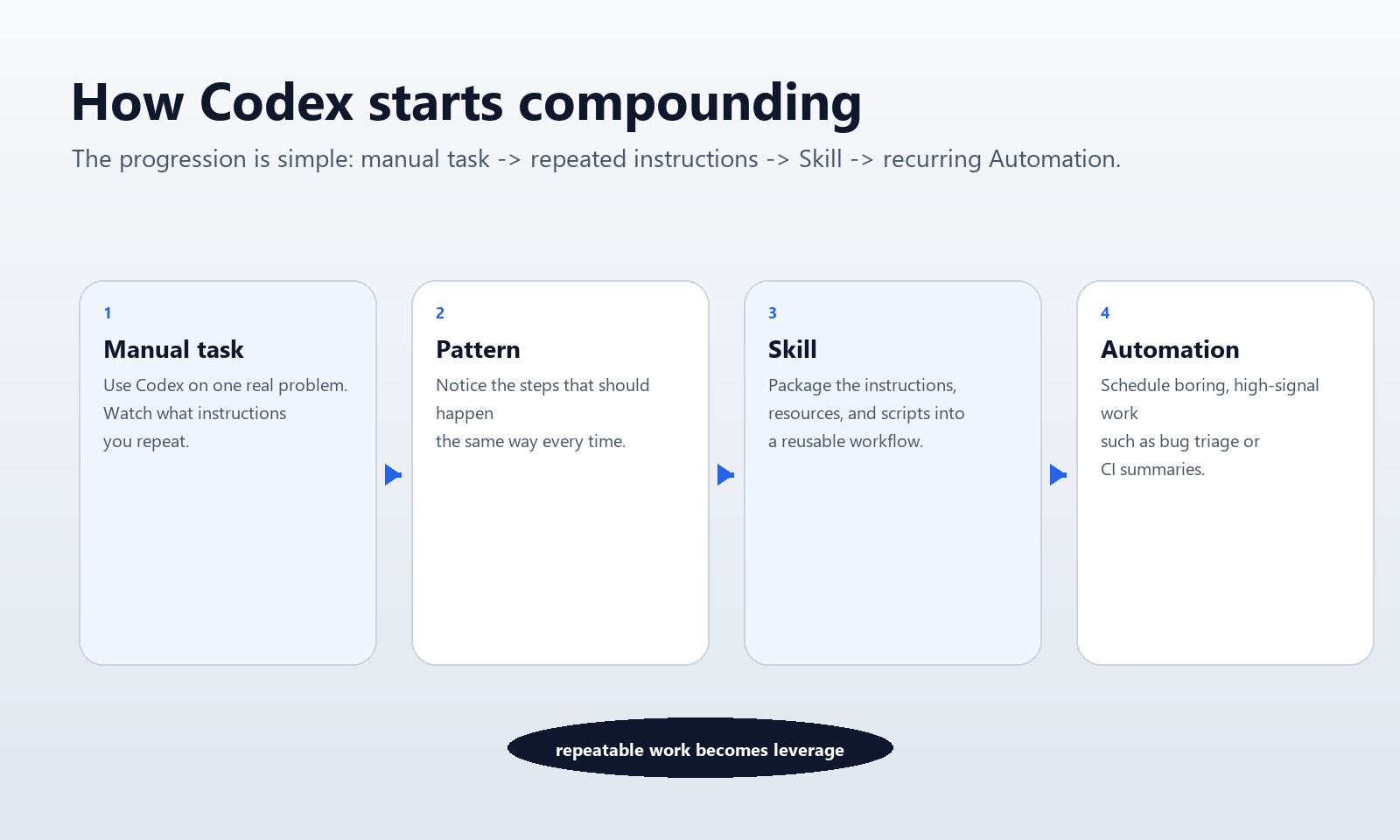
This is the progression I recommend:
- Do the task manually with Codex a few times.
- Notice what instructions you keep repeating.
- Turn that repeated pattern into a Skill.
That is when Codex stops being "smart help" and starts becoming infrastructure.
Use Multiple Agents When the Work Is Truly Independent
One of the biggest upgrades in the Codex app is that it is built around multiple agents working in parallel, with separate threads and built-in worktrees.
That matters because "speed" in 2026 is often less about one model thinking faster and more about not serializing independent work.
Examples where parallel agents make sense:
- one agent updates docs while another fixes tests
- one agent implements a feature while another reviews a related PR
- one agent explores a codebase while another drafts the actual patch
- one agent handles a data export while another cleans the frontend
Examples where they do not make sense:
- the second task depends directly on the first result
- both agents will fight over the same files
- you are still confused about what the task actually is
The beginner rule is simple:
Parallelize only when the write scopes are clearly separate.
If the work will obviously collide, keep it in one thread.
Automations Are for Repeatable Chores, Not for Mystery Work
OpenAI's current product story around Codex is not just coding help. It is also always-on background work.
The Codex app now supports Automations, which OpenAI describes as scheduled work that combines instructions with optional Skills. OpenAI says their own teams use Automations for things like issue triage, CI failure summaries, and release briefs.
That is exactly the right use case.
Good beginner automations:
- summarize new CI failures every morning
- review a pull request queue once a day
- generate a daily issue-triage report
- check a docs folder for stale references weekly
Bad beginner automations:
- "improve the whole product continuously"
- "rewrite code whenever it feels necessary"
- any scheduled task with vague, unreviewable side effects
The point of Automations is not to let Codex roam free.
It is to turn boring, recurring, high-signal work into a queue you can supervise quickly.
If you want to think about the same pattern outside pure software engineering, my article on fully automated AI agent workflows for blog monetization applies the same idea to publishing and revenue operations.
Codex Gets Better When the Environment Gets Better
This is one of the most important practical points in OpenAI's own best-practices guidance: startup scripts, environment variables, and internet access configuration reduce Codex's error rate.
In plain English:
If your environment is sloppy, Codex will feel sloppier than it really is.
So before blaming the agent, improve the harness:
- make the repo boot cleanly
- make tests easy to run
- expose the commands Codex should use
- keep environment setup predictable
- document known failure points
OpenAI's own engineering article makes the broader point even more clearly: humans increasingly win by designing environments, specifying intent, and building feedback loops that let agents do reliable work.
That is not abstract theory. That is the day-to-day difference between "Codex is amazing" and "Codex is random."
Be Deliberate About Permissions and Safety
One reason Codex has become easier to trust is that OpenAI keeps emphasizing the harness and sandbox around the model, not just the model itself.
In the Codex app launch post, OpenAI says agents are sandboxed by default. By default, they are limited to editing files in the working folder or branch and using cached web search, then asking for permission when they need elevated capabilities like network access.
That is a good default. Keep it that way unless you have a reason not to.
Beginner safety rules:
- do not give Codex unnecessary permissions just because it asked
- require approval for external side effects
- review commands that touch production systems
- keep internet access intentional, not automatic
- prefer fixed workflows over ad hoc shell freedom
The right mental model is not "trust the model."
It is:
trust the workflow you designed around the model.
The Best Beginner Use Cases
If you want the fastest path to value, start here.
1. Codebase understanding
Codex is extremely good at tracing flows, identifying where logic lives, and mapping unfamiliar modules.
Prompt:
Trace how user authentication works in this repo.
Show the files involved, the request path, and where sessions are created and invalidated.
Do not edit anything.
2. Small multi-file changes
This is the sweet spot for learning trust without taking on giant risk.
Prompt:
Add a reusable CTA component to the blog post footer and update the three highest-traffic article templates to use it.
Do not change unrelated copy.
Run the relevant tests afterward.
3. PR review and bug triage
OpenAI now highlights these directly in Codex use cases for developers. This is a strong early workflow because the work is reviewable and bounded.
4. Repeatable publishing or ops chores
This is where Skills and Automations start compounding.
If you repeat the same QA loop, deployment flow, or reporting task every week, Codex is a good fit.
A 7-Day Starter Plan
If you want to go from "I tried Codex" to "Codex is part of my workflow," do this:
Day 1
Use Codex on one real repo for one bounded task.
Day 2
Use Ask Mode first on a larger task and compare the result to jumping straight into edits.
Day 3
Create or improve your repo's AGENTS.md so Codex stops relearning the same constraints.
Day 4
Run two independent tasks in parallel in the app.
Day 5
Turn one repeated instruction set into a Skill.
Day 6
Create one low-risk Automation, like daily issue triage or CI summaries.
Day 7
Review what failed, then improve the environment instead of only rewriting prompts.
That is enough to know whether Codex will become a real part of your system.
The Real Takeaway
The most important change in Codex is not that the models got smarter.
It is that the product is now built around workflows:
- multiple agents
- persistent repo context
- reusable Skills
- scheduled Automations
- safer permission boundaries
That changes how you should use it.
Do not treat Codex like a clever autocomplete tool.
Treat it like a programmable teammate:
- give it bounded work
- make the repo legible
- use Ask Mode before risky changes
- create Skills for repeated tasks
- use Automations for boring chores
- review the evidence, not just the summary
That is how Codex becomes useful fast.
Related
- Codex GPT-5.5 Guide: What Changed, Who Should Use It, and How to Get ROI
- Claude Code vs Cursor in 2026: I Used Both Daily for 6 Months. Here’s What Actually Ships Faster.
- How to Use MCP Safely in Production: Threats, Guardrails, and Deployment Rules in 2026
Tools Mentioned
Affiliate disclosure: some links below are referral or affiliate links. If you buy through them, this site may earn a commission at no extra cost to you. Recommendations stay based on practical fit, not payout.
Recommended writing workflow tool
If your bottleneck is turning rough notes into publishable drafts, Typeless is worth testing. It fits best when you already have ideas and need cleaner first drafts, faster editing, or repeatable writing workflows.


コメント
[…] How to Use Codex in 2026 […]