Gemini 4 Argon is Google's reasoning model for demanding software engineering, document analysis, and multi-step work. The official name is Gemini 4 Argon, and its API identifier is gemini-4-argon. Start with one bounded task, supply the evidence it needs, and judge the resulting artifact against explicit checks before expanding the workflow. Google's general-availability announcement
This guide covers access, costs, token limits, four practical workflows, API setup, data settings, and evaluation. Product details were checked on October 30, 2026. The prompts and sample data are original practice materials; no Argon benchmark or firsthand productivity improvement is claimed.
| Question | Short answer |
|---|---|
| Where should I start? | Use the Gemini app for an initial document task, AI Studio for API experiments, or Antigravity for repository work. |
| What changes the cost? | Thinking tokens, repeated calls, media inputs, tools, and the scheduled end of introductory pricing. |
| What should I test first? | A task with known source material and an output you can inspect. |
Choose the right access route
Choose your workspace
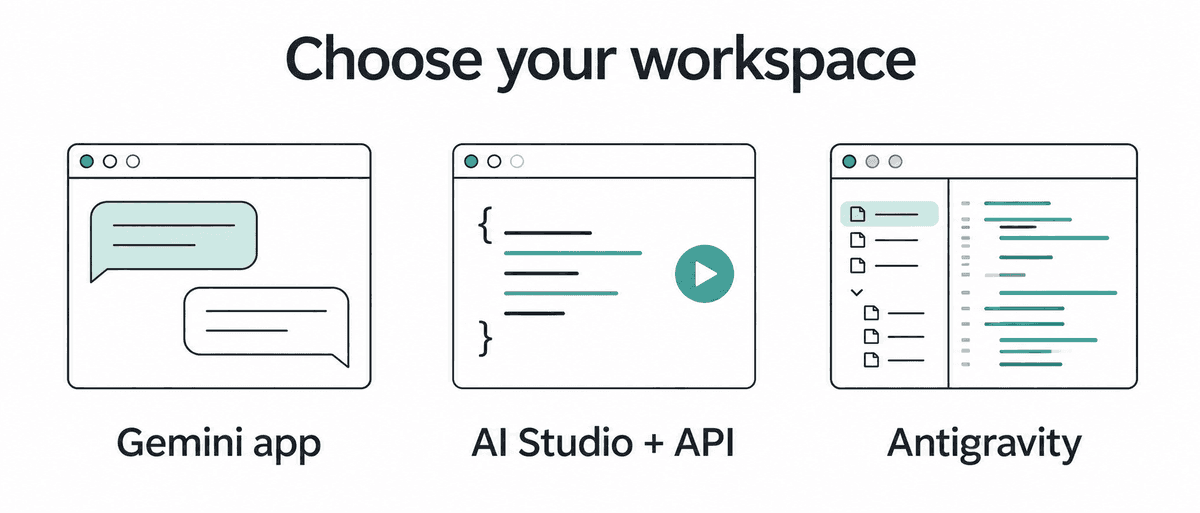
Model access, app features, and account permissions should be checked separately.
Use the Gemini app for a first document task
Google's current personal-account model table lists Argon for Google AI Pro and Ultra subscribers in Chat and Tasks. Open the model menu below the input box, select Argon, and choose Low, Medium, or High. The app defaults to Low when thinking is unspecified; use manual selection and check response details when evaluating Argon, because Auto can route to other models. Gemini app model selection
Start by attaching a short document you are allowed to process and asking for a source-linked summary. Inspect names, numbers, and missing information before asking for a larger deliverable. That gives you a useful first result without making app integrations part of the initial test.
Tasks adds separate eligibility requirements: an adult personal account, Pro or Ultra, Keep Activity enabled, and Personal Intelligence opt-in. Google's help excludes Tasks in the European Economic Area, Nigeria, Switzerland, and the United Kingdom, and describes mobile, Mac, and web access. Confirm eligibility in your own account before following a Tasks workflow. Tasks requirements and instructions
Use AI Studio and the API for repeatable requests
Use AI Studio to inspect model settings and prototype a request, then move a stable task into an application. Check billing and the available model list rather than assuming an app subscription covers API consumption. The API and AI Studio region list includes Japan, but availability in a country does not establish where its data is processed. Supported API regions
Use Antigravity for repository work
The current Antigravity model table lists Argon for Pro, Ultra, and Enterprise. Its Pro footnote specifies paid subscriptions or eligible premium-device trials, so it should not be read as access for every free trial. This is more current product-specific guidance than the October 13 announcement's Ultra-focused description. Antigravity model availability
Usage is not a fixed number of equally priced prompts. Antigravity documents five-hour refreshes plus weekly limits for Pro and Ultra, with consumption affected by task complexity; additional-credit behavior has its own controls. In the Gemini app, check Settings → Usage Limits instead of relying on an unofficial daily Argon message count. Antigravity plans, Gemini app usage limits
Understand what the model can take in and produce
One shared token budget
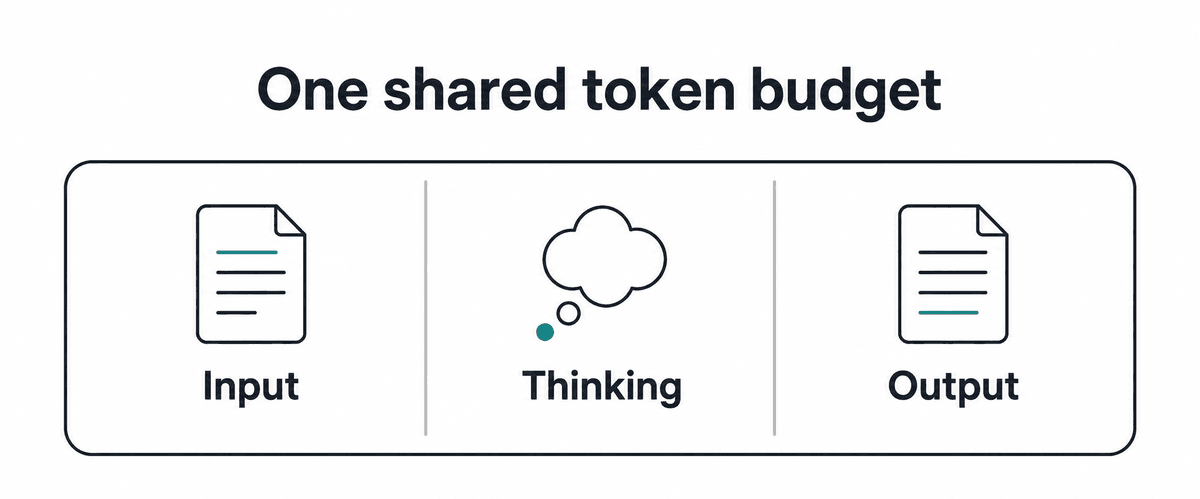
The diagram shows a shared limit. Its areas do not represent fixed allocations.
Argon accepts multimodal inputs and produces text. Tools can broaden an agent's output; inspect the full workflow before attributing a demonstration to the model alone.
| API property | Documented behavior |
|---|---|
| Model ID | gemini-4-argon is stable. |
| Inputs | Text, images, video, audio, and PDF. |
| Output | Text. |
| Unified context | Input, thinking, and output share 1,048,576 tokens. |
| Standard output | The default synchronous limit is 65,536 tokens. |
| Long decode | Longer generation uses the remaining shared budget. |
| Thinking | Low, medium, and high. |
| Tools | Function calling, code execution, file search, search grounding, URL context, and structured outputs. |
| Other boundaries | Computer use is Preview; image/audio generation and Live API are unsupported. |
These API specifications do not establish an app's options or effective limits. Check the route-specific setup before building your workflow. Argon model specifications
The shared budget matters when you combine a large source pack with a demanding reasoning task. Leaving little room after the input can constrain the work the model can perform and the answer it can return. Select the relevant files and ask for a defined deliverable before treating a larger context window as a reason to upload everything.
Google announced broad Argon availability on October 13, 2026, following earlier restricted access. It announced Gemini 4 Carbon on October 28 with staged access beginning with selected cyber defenders. This guide therefore treats Argon as a specific available option, rather than claiming it is Google's newest or strongest model across every access route. Argon announcement, Carbon announcement
Budget for the whole request
Argon's Standard API rates change after November 30, 2026. The following prices are in US dollars per 1 million tokens, and billed output includes thinking tokens. The API has no Argon Free tier; these rates are separate from a Google AI subscription's monthly price.
| Standard API category | Through Nov. 30, 2026 / From Dec. 1, 2026 |
|---|---|
| Input | $2.00 / $4.00 |
| Cached input | $0.10 / $0.20 |
| Output, including thinking | $10.00 / $20.00 |
Batch and Flex list half the corresponding Standard token rates. Search grounding has separate query charges and a shared monthly allowance; one user request can generate several billable search queries. Check the full tariff for your processing tier and tools before estimating recurring work. Official API pricing
For a hypothetical Standard request with 50,000 uncached input tokens and 10,000 billable thinking-plus-output tokens, the token-only calculation is $0.20 during the introductory period and $0.40 afterward. This example excludes media, search, other tools, retries, and caching effects. It is arithmetic from the quoted rates, not an observed Argon bill.
Argon uses implicit caching, which applies automatically when a request hits the cache, with a 4,096-token minimum input threshold. Explicit cache objects are unsupported, and similar prompts do not guarantee a cache hit. Put reusable source material first and inspect usage.total_cached_tokens to understand the actual saving. Context caching documentation
Long decode can also reprocess earlier material across continuation hops, so cumulative billed input is not the same as the size of the final context. Record the interaction's aggregate usage and completed status rather than estimating cost from the visible final answer alone. Use long decode for a task that requires it, with a defined stopping condition. Long decode and token accounting
Try four practical workflows
Four practical starting points
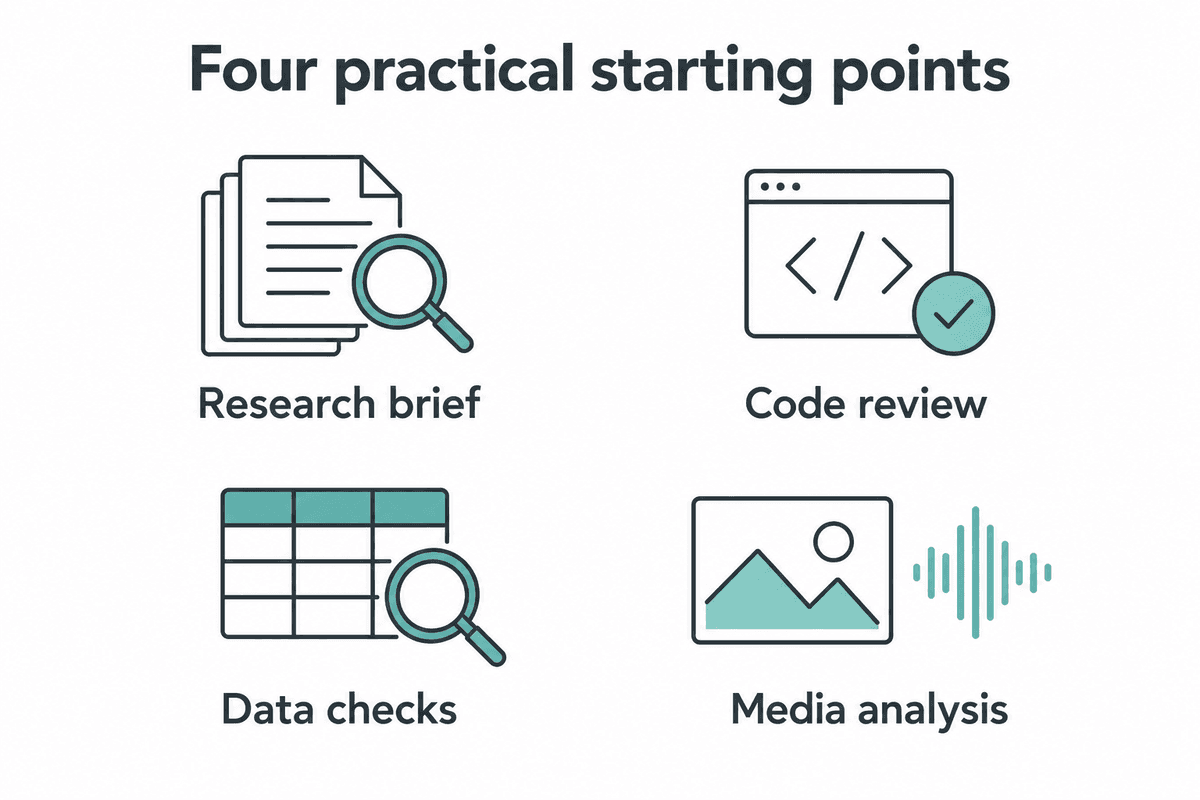
These are proposed exercises. They do not report measured model results.
Build a research brief you can audit
Give Argon a decision, a small source list, and a required comparison format. For example, compare two software plans against the features a small team actually needs. Require a source URL and verification date for each consequential claim, then open the pages yourself before using the recommendation.
Compare [option A] and [option B] for a three-person design team.
We need shared files, exportable work, and predictable billing.
Use official product, pricing, and help pages.

Return a table of requirements, verified facts, source URLs,
and unresolved questions. Distinguish monthly from annual billing.
Mark unavailable evidence as unknown; do not fill gaps from memory.
Finish with a recommendation conditional on the unresolved facts.
Do not sign up, purchase, or contact either company.
For API research, search grounding must be enabled as a tool; writing “search” in a prompt alone does not configure the integration. Preserve returned citation annotations and search suggestions according to the documented requirements. A grounded answer provides references to inspect, rather than eliminating the need to inspect them. Google Search grounding
Fix a repository problem with a reviewable patch
Choose one bug you can reproduce and give Antigravity the relevant repository instructions. Ask for the smallest working change and a check that demonstrates the reported problem. Review the resulting diff and test evidence before merging or deploying it.
The CSV importer creates duplicate records when this input is retried.
Reproduce the issue using the supplied fixture and current tests.
Identify the cause, then make the smallest change that fixes it.

Preserve existing supported inputs and public interfaces.
Show the failing check before the fix and the result afterward.
Report commands actually run, files changed, and remaining uncertainty.
Stop before deployment or changes to production data.
Treat a reported passing test as a claim you can verify in the execution output. If the environment prevents a check, the useful result is a clear explanation of what remains unverified. Our outcome-first prompting guide gives more examples of specifying an artifact and its acceptance criteria.
Reconcile a small dataset before asking for conclusions
Start with this synthetic CSV so you know what an accurate review should find. The record ID must be unique, the SKU must be present, and quantity must be a nonnegative integer. Copy the data into a file or include it in your prompt, then ask Argon to preserve the source rows.
record_id,sku,quantity
r001,LAMP-A,3
r002,LAMP-B,2
r002,LAMP-B,2
r004,,4
r005,LAMP-C,two
r006,LAMP-A,1
Audit this CSV using these rules: record_id must be unique,
sku must be nonempty, and quantity must be a nonnegative integer.
Do not repair, delete, merge, or guess values.

Return each affected data-row number, original values, violated rule,
and the human decision required. Flag every occurrence of a duplicate ID.
Exclude all affected rows from any provisional quantity total.
Show the calculation for the unaffected rows separately.
The answer should flag both rows with r002, the missing SKU in r004, and the word two in r005. Under the prompt's explicit exclusion rule, the unaffected quantities are 3 and 1, for a provisional total of 4. This is the exercise's answer key, not output produced by Argon; compare it with the response before trying unfamiliar data.
In an API pipeline, use a JSON Schema when downstream software requires predictable fields, then validate the returned values against your business rules. A valid JSON shape does not establish that a source number was read correctly. Keep source identifiers in the result so each extracted value can be checked. Structured output documentation
Find relevant moments in a video
Choose a recording with clear permission to process it and ask for a narrow set of observations. Require timestamps, supporting descriptions, and explicit uncertainty when speech or screen text is unclear. Rewatch the cited segments before turning them into documentation.
Review this product demonstration for the import workflow.
Find moments where the presenter explains required columns,
shows an error, or confirms a successful import.

Return timestamps in MM:SS, the observation, supporting speech
or visible text, and anything you cannot verify confidently.
Separate an explained feature from a feature actually demonstrated.
Finish with a draft checklist supported by those moments.
The API defaults to static video processing at one frame per second, including on Argon. Agentic processing is an opt-in mode that navigates the timeline and can suit targeted questions about long recordings; it can add navigation and reasoning overhead. Set the API video part's processing to agentic when appropriate, then compare usage and cited moments with your static run. Video processing modes
Build a small API request before a long agent run
Build a checkable workflow
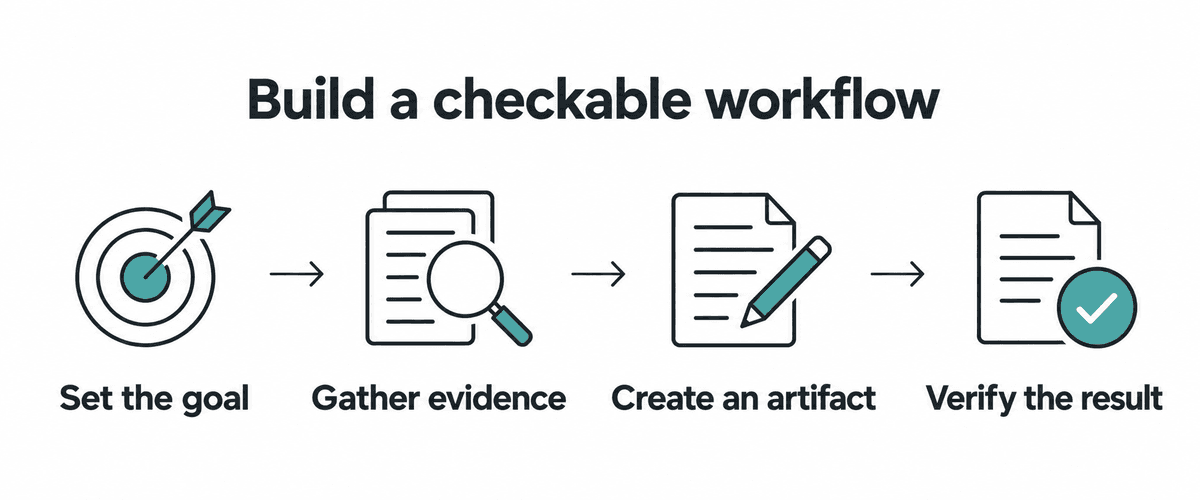
Define the artifact and the verification before adding more tools or longer execution.
Install the current Google GenAI JavaScript SDK with npm install @google/genai and set GEMINI_API_KEY locally for an API project with billing and Argon access. Save the following as an .mjs file and run it with Node.js. This documentation-based example has been syntax-checked locally; it has not been executed against the paid API.
import { GoogleGenAI } from "@google/genai";

const client = new GoogleGenAI({
  apiKey: process.env.GEMINI_API_KEY,
});

const result = await client.interactions.create({
  model: "gemini-4-argon",
  input: "Create a CSV-import test plan covering duplicate IDs, " +
    "missing fields, invalid quantities, and retry behavior. " +
    "Give each case an input, expected result, and verification step.",
  generation_config: {
    thinking_level: "medium",
    max_output_tokens: 32768,
  },
});

console.log(result.status);
console.log(result.output_text);
console.log(result.usage);
The API defaults to medium thinking, while the app's unspecified thinking setting defaults to Low. Low, medium, and high trade reasoning effort against latency and token consumption. Test the settings on the same task and keep the lowest one that meets your quality requirement. API thinking guidance, App thinking controls
When migrating an existing API integration, update the model ID and remove unsupported explicit caching. Google says temperature, top_p, and top_k are ignored for Argon; it recommends reviewing small output caps because thinking also consumes max_output_tokens. Use previous_interaction_id for server-managed multi-turn state and function-calling conversations, then recheck your application's own tool execution and result handling. Argon migration checklist
For output beyond 65,536 tokens, use background execution with an explicitly larger limit. Long decode generates continuation hops, so collect text across the interaction's model_output steps and handle completed, incomplete, failed, or action-required states. Save the interaction ID so a dropped connection does not lead you to blindly create another expensive job. Long decode implementation
Begin with the short test-plan request above rather than enabling the largest output budget. Once the response format, usage logging, and stopping behavior are useful, attach a bounded source set or one tool. For a broader view of Google's development tools, see our AI Studio and Gemini overview.
Match the data rules to the product
Privacy settings are specific to the access route. In personal Gemini Apps, Keep Activity can allow conversations and uploads to be used for product and model improvement, including human review. Turning it off or using Temporary Chat does not mean zero processing or retention; Google describes a 72-hour retention period for these conversations. Gemini Apps Privacy Hub
Tasks' remote browser and computer features require Keep Activity to be on. You therefore cannot assume the same workflow will remain available after disabling that setting. Choose an approved route for the material you need to process before uploading confidential documents. Tasks requirements, Privacy Hub
Personal Antigravity terms describe collection and potential use of interactions for product and machine-learning improvement, with settings for changing that use. Enterprise access can be governed by separate organizational terms. A paid personal subscription should not be treated as equivalent to an enterprise data agreement. Antigravity terms, Antigravity FAQ
The API's Standard paid tariff lists content as not used to improve Google's products, while its separate Contributor tier lists improvement use. Check the terms for the actual tier you select rather than generalizing across all paid products. Country availability and in-country processing are also different: Gemini Enterprise's locations documentation places restrictions on Argon in in-country regions, including Japan. API tier table, Enterprise processing locations
Keep initial tasks narrow enough that you can review every resulting change. Specify which files or systems may change, what evidence counts as success, and where execution should stop for a decision. These boundaries turn an ambitious prompt into a deliverable you can assess.
Measure the work around the answer
Measure the whole task
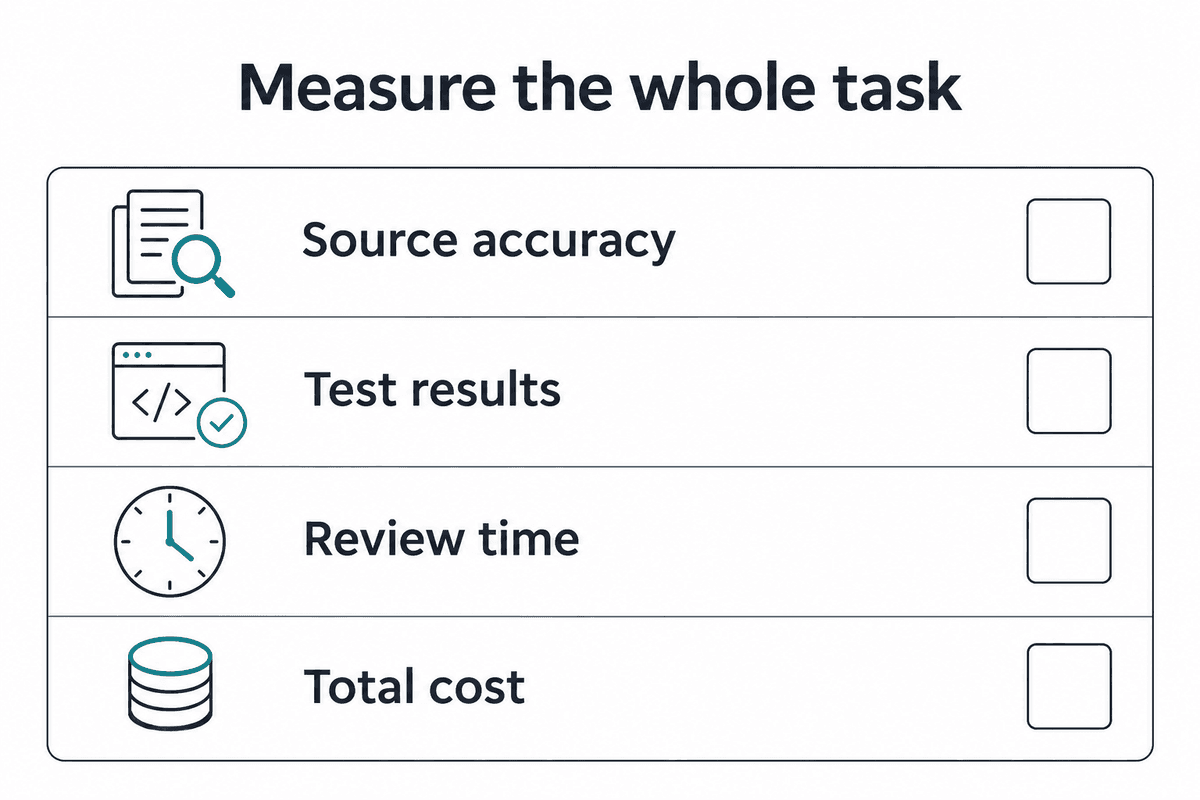
The scorecard is a proposed evaluation method and contains no invented scores.
Pick 10 representative tasks with known answers or concrete acceptance criteria. Include incomplete evidence and a case where declining to infer an answer is correct. Save the source pack, instructions, model selection, thinking setting, and tool permissions so you can repeat the comparison.
| Measure | Evidence to collect |
|---|---|
| Source accuracy | Check cited pages, extracted values, and unsupported claims. |
| Artifact quality | Apply the same acceptance criteria to each result. |
| Execution evidence | Save relevant test output and inspect the actual files or state. |
| Human effort | Time review, corrections, and repeated attempts. |
| Total resource use | Record elapsed time, usage, tools, and applicable charges. |
A useful research result supports its recommendation with sources that survive checking. A useful coding result fixes the reported problem and preserves required behavior. A useful data result follows the exclusion rules and keeps an audit trail; use those concrete outcomes when deciding whether Argon helps.
Vendor demonstrations and benchmark results can suggest tasks worth testing, but they do not establish your completion rate or savings. This guide has not run an Argon-versus-competitor benchmark. If your work primarily involves screenshots and visual review, our GPT-6.1 Terra guide offers another proposed workflow to evaluate on the same materials.
Common questions
Is Argon4 the official model name?
Google calls it Gemini 4 Argon, with gemini-4-argon as its stable API ID. Use that exact identifier in a request, and verify the selected model when testing through an app. Official model page
Does a Pro subscription include unlimited Argon API calls?
API requests use the billing setup of their project, while the Gemini app has its own usage limits. Check the relevant project and account screens before estimating a recurring workload. API billing, App limits
Does a 1M-token window mean 1M input plus 1M output?
Input, thinking, and output share a single budget of 1,048,576 tokens. Reserve room for the work and result after supplying the source material. Long decode does not create an additional independent output window. Long decode guide
Can I start with an entire business process?
Start with one step and a deliverable you can inspect, such as a source table or a draft patch. Verify that result before adding connected apps or automated follow-up actions. This makes failures easier to locate and the next step easier to justify.
What should I do when the model gives an incomplete answer?
Inspect the returned status and usage before repeating the request. Thinking and output share the output cap, so a hard task can exhaust it before producing a complete answer. Reconsider the thinking level, task scope, and budget together, then make a deliberate retry decision. Output-limit guidance
Choose one workflow and define the expected artifact before opening Argon. Run it on material you understand, check the result, and record the human effort needed to finish. Expand the workflow only when that evidence supports the next step.
Choose another model guide or browse the AI Models collection.
コメント