
Renoise AI Just Killed the Video Editing Timeline — Here's What That Means for Solo Creators
If you're still dragging clips on a timeline to make ad creatives, you're operating in the wrong paradigm.
I've been tracking Chinese AI tools for over a year now, and most of them follow a familiar arc: impressive demo, clunky UX, unclear commercial licensing. Renoise breaks that pattern. Built on ByteDance's Seedance 2.0 model, it reframes video production as a code-first, prompt-driven pipeline — and it works inside Claude Code.
That last part is what caught my attention.
What Renoise Actually Does
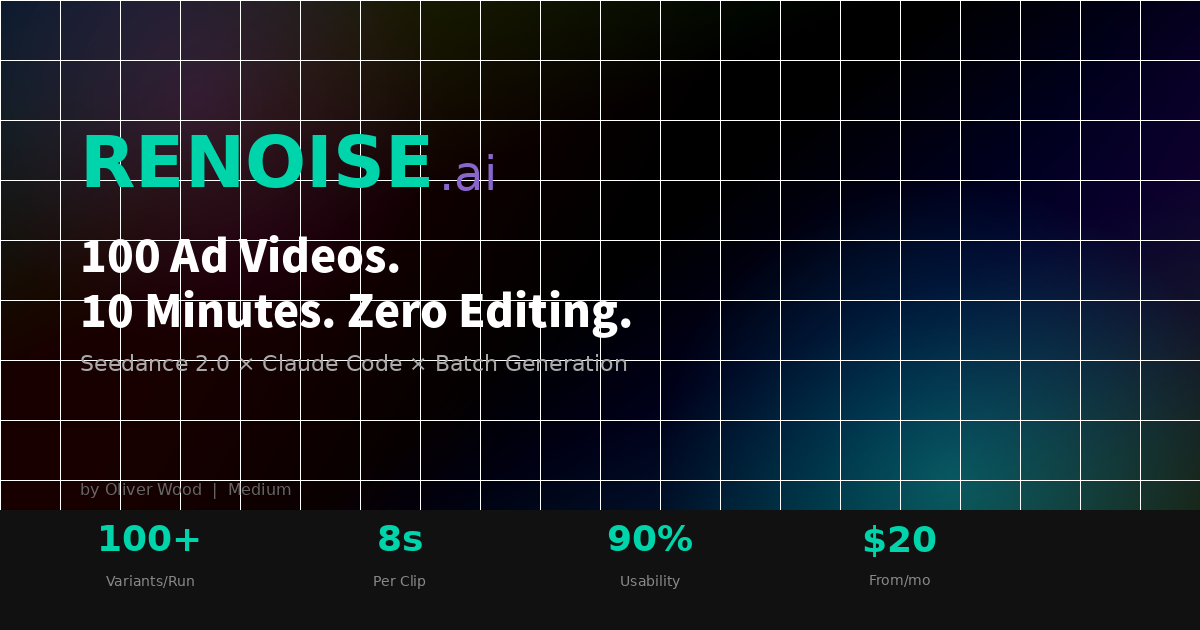
The core proposition is deceptively simple. You upload a single product photo, write a one-line brief describing tone, format, and hook, and Renoise generates up to 100 ad-ready video variations in roughly ten minutes. No timeline. No manual cuts. No per-clip editing.
This isn't a wrapper around a generic text-to-video model. Seedance 2.0 is optimised specifically for advertising output, which means consistent character identity across clips, native lip-sync, and generated foley audio. Renoise claims a 90% usability rate — nine out of ten generated clips ready to upload without retakes. The industry average for AI-generated video sits closer to 20%.
There's also a feature called FacePass: upload a real face, and that face stays consistent across every variant. Different hooks, scripts, aspect ratios, languages — same talent. No casting, no reshoots, no talent fees scaling linearly with creative volume.
Live Mode: The Genuinely Surprising Part
Most AI video tools still require you to think in prompts. Renoise's Live Mode takes a different approach: point at your screen, speak in natural language, and the AI edits in real time. Latency sits under 1.2 seconds, with a reported 94% first-attempt accuracy rate across 40+ languages.
I'm sceptical of accuracy claims in general, but the interaction model itself represents a meaningful UX departure. Instead of translating your creative intent into a text prompt and iterating, you demonstrate and narrate. It's closer to directing than editing.
The Claude Code Integration
This is where Renoise becomes interesting for the workflow I've been building. The tool ships with a REST API, a Python SDK, and a CLI — but more importantly, it runs natively inside Claude Code and OpenClaw. You can install the official plugin from GitHub and trigger video generation within an agentic coding session.
For solo creators running Claude-assisted content pipelines, this collapses yet another manual step. Imagine a CI/CD-style workflow where pushing a new product image automatically triggers 50 ad variants. One of their featured users apparently built exactly this.
The practical implication: if you're already using Claude Code for writing, image generation, or workflow automation, Renoise slots in without context-switching to a separate app.
Pricing and Commercial Use
Three tiers, all monthly subscriptions:
- Basic — $20/month, 1,200 credits
- Standard — $60/month, 3,600 credits
- Advanced — $200/month, 14,000 credits
All plans include FacePass and full commercial licensing. Videos are cleared for paid advertising on Meta, TikTok, YouTube, and Google. Your input materials are never used for model training, and enterprise plans offer zero-data-retention and on-premise deployment.
For context, a single freelance video editor producing one ad creative per day would cost multiples of even the Advanced tier. The economics only make sense if the output quality holds up — which brings us to the real question.
Where I'd Push Back
Renoise is new, and the testimonials on their landing page read like they were written by a copywriter (because they were). The 90% usability claim needs independent verification. Lip-sync quality in AI video has improved dramatically over the past six months, but "looks real" is still a moving target that depends heavily on resolution, lighting conditions, and facial diversity in the training data.
The Claude Code integration is also plugin-based and early-stage. Documentation is sparse. If you're not comfortable reading source code on GitHub and debugging integration issues, the web app is probably the safer entry point.
That said, the fundamental bet — that video ad production should be generative rather than editorial — is sound. The question is execution and reliability at scale.
Who This Is For
Renoise is aimed squarely at performance marketers, DTC brands, and solo creators who need high-volume ad creative without high-volume production costs. If you're making one polished brand film per quarter, this isn't your tool. If you're testing 50 hooks per week across TikTok and Meta, it might be exactly what you need.
For my own workflow, I'm most interested in the Claude Code pipeline angle — using Renoise as one node in a larger AI-assisted content production chain. I'll report back once I've run it through a real campaign.
Oliver Wood writes about AI tools, Chinese AI, and solo creator workflows. Follow for weekly practical guides on Medium, or find the Japanese editions on note.com.
Disclosure: I have previously worked with Renoise on sponsored content. This article is independent and uncompensated.
Tags: AI, Video Generation, Renoise, Claude Code, Content Creation

コメント