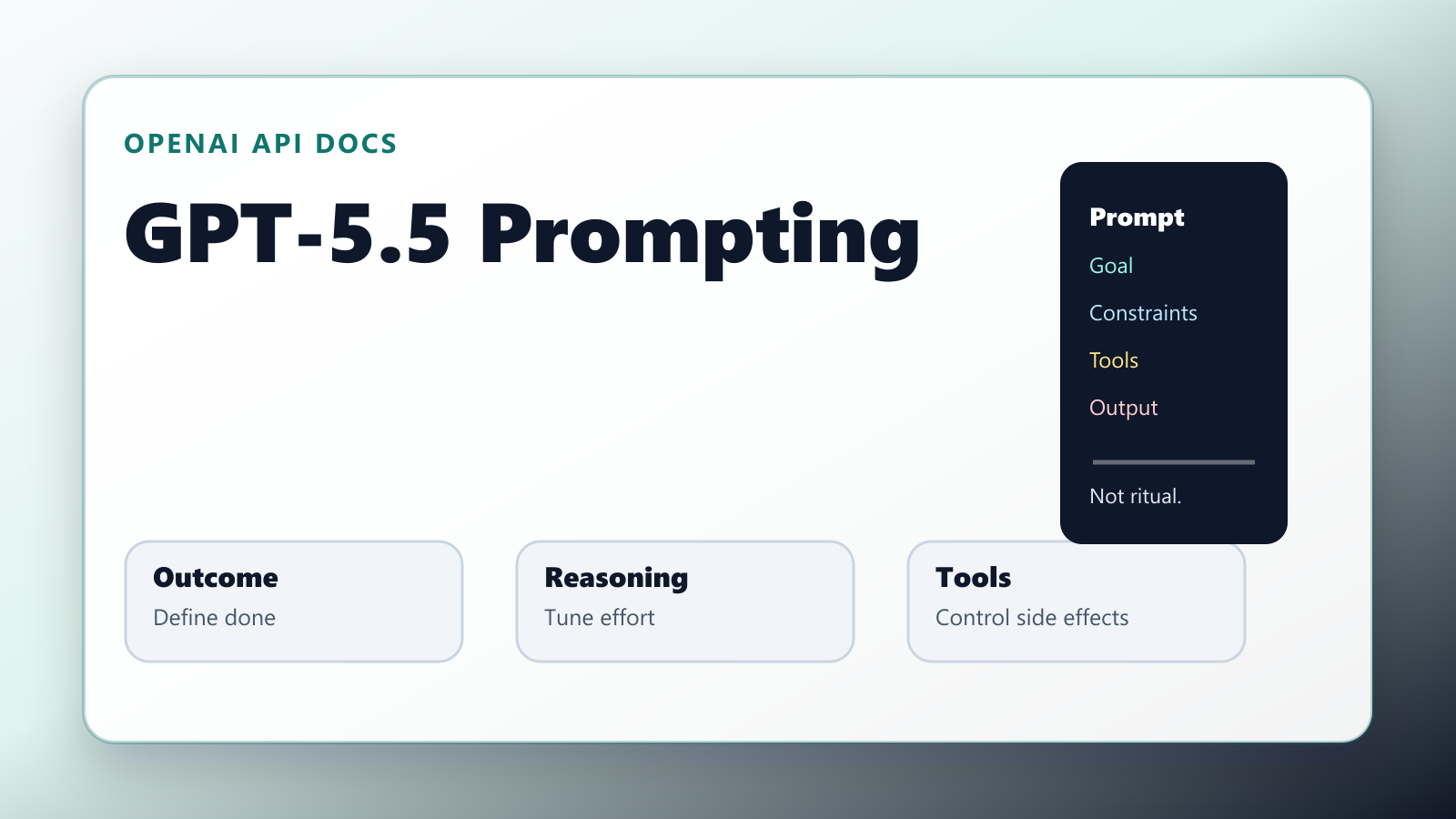
GPT-5.5 changes the economics of prompting. The practical shift is not that every prompt needs to become longer. It is the opposite: many old prompt stacks should get shorter, clearer, and more contractual.
OpenAI’s GPT-5.5 prompt guidance says the model works best when prompts define the outcome, constraints, evidence, and final answer shape, then leave room for the model to choose an efficient path. OpenAI’s Using GPT-5.5 guide makes the same point from the migration side: start with the smallest prompt that preserves the product contract, then tune reasoning effort, verbosity, tools, and output format against representative examples.
That is a useful change for developers, but it also creates a trap.
If you simply paste your old GPT-4 or GPT-5 prompt stack into GPT-5.5, the model will probably still answer. But you may be paying for instructions that no longer help. Worse, you may be narrowing the model’s search space with step-by-step process rules that were written for a weaker model.
This guide turns the official GPT-5.5 prompt guidance into an implementation playbook.
- The 30-Second Answer
- What Actually Changed
- The GPT-5.5 Prompt Contract
- Outcome-First Does Not Mean Instruction-Light
- Re-Tune Reasoning Effort
- Move Schemas Out of the Prompt
- Design Tools as Part of the Prompt System
- Add Preambles for Long Tasks
- Personality Is a Product Feature
- Optimize for Prompt Caching
- A Migration Checklist for Old Prompt Stacks
- Copy-Ready GPT-5.5 Prompt Template
- The Biggest Mistakes
- My Practical Rule
- Work With Me
- Tools Mentioned
- Sources
- Related
The 30-Second Answer
For GPT-5.5, write prompts like a product contract:
- Define the outcome.
- Define success criteria.
- State hard constraints.
- Separate stable instructions from dynamic user context.
- Put output shape in the API when possible, not only in prose.
- Start with
reasoning.effortatmedium, then testlowbefore escalating. - For tool-heavy workflows, define tool purpose, side effects, retry safety, and stopping conditions.
The old habit was:
Follow these 37 steps exactly.
Think carefully.
Do not forget anything.
Use this long chain of style instructions.
The better GPT-5.5 habit is:
Resolve the issue end to end.
Success means the user can complete checkout, all existing payment tests pass, and no unrelated UI copy changes.
Use the existing Stripe wrapper and current logging convention.
Return a concise summary, files changed, verification run, and any residual risk.
The difference is control. The second prompt tells the model what good looks like without forcing a brittle path.
What Actually Changed
OpenAI highlights four GPT-5.5 prompting changes that matter in production:
- Shorter, outcome-first prompts often work better than process-heavy prompt stacks.
- More efficient reasoning means
lowandmediumeffort deserve fresh evaluation before you pay for higher effort. - Preambles,
phasehandling, and assistant-item replay still matter for tool-heavy Responses API workflows. - Explicit personality, retrieval budgets, and validation rules help shape customer-facing and agentic UX.
The key phrase is “outcome-first.” GPT-5.5 can handle more of the route planning internally, so the prompt should define the destination, boundaries, and proof of completion.
That does not mean “be vague.” It means be specific about the contract, not theatrical about the model’s inner process.
The GPT-5.5 Prompt Contract
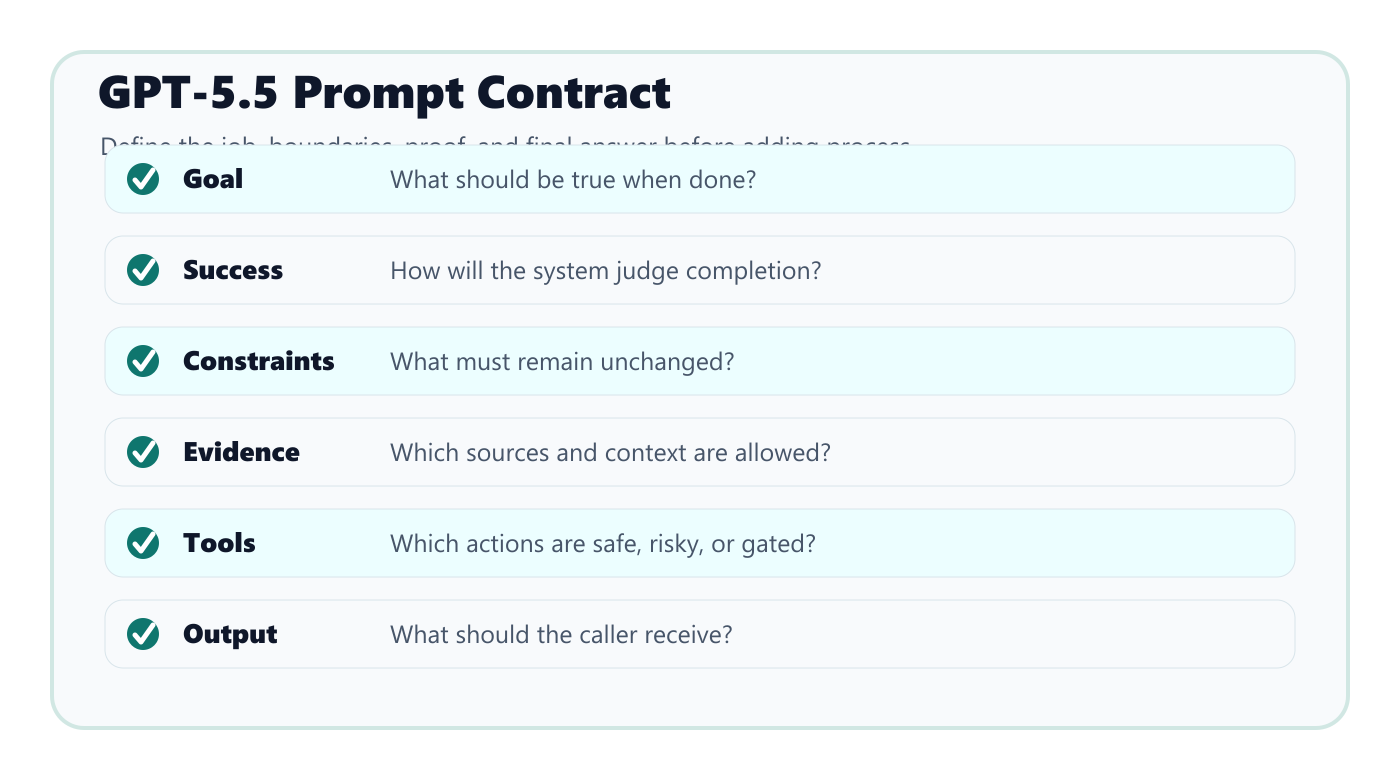
Use this structure for most developer prompts:
# Goal
What should be true when the task is done?

# Success criteria
How will we know it worked?

# Constraints
What must not change? What policies, files, budget, or style rules matter?

# Context
What evidence, user data, files, docs, or examples are available?

# Tools and side effects
Which tools may be used, when should they be used, and what actions need approval?

# Output
What should the final answer contain?
That structure is boring. It also works.
The important part is that each section removes a different kind of ambiguity:
| Prompt Section | Ambiguity It Removes |
|---|---|
| Goal | What the model is trying to accomplish |
| Success criteria | When the model should stop |
| Constraints | What the model must preserve |
| Context | What evidence the model should trust |
| Tools | What actions are allowed and how risky they are |
| Output | What the caller can reliably consume |
Most bad prompts fail because they only describe the task, not the stopping condition. GPT-5.5 is powerful enough to keep going, which means you need to tell it what “done” means.
Outcome-First Does Not Mean Instruction-Light
There is a weak version of outcome-first prompting:
Make this better.
That is not outcome-first. That is lazy.
A strong outcome-first prompt gives GPT-5.5 a clear target and enough boundaries to act without guesswork:
Rewrite this onboarding email so a technical buyer understands the product in under 60 seconds.

Success criteria:
- The first paragraph states the user problem in plain language.
- The email includes one concrete workflow example.
- The CTA asks for an async reply, not a meeting.
- Keep it under 180 words.

Use the product notes below as the only source of claims.
This is shorter than a giant prompt stack, but it is not underspecified. The model knows the audience, the output budget, the claim boundary, and the conversion behavior.
That is the style GPT-5.5 rewards.
Re-Tune Reasoning Effort
OpenAI’s reasoning models documentation says reasoning.effort controls how much the model thinks, and GPT-5.5 defaults to medium. It also notes that lower effort favors speed and token efficiency, while higher effort can improve quality on harder tasks.
The mistake is assuming “higher” means “better.”
Use this starting point:
| Workload | Starting Effort | Why |
|---|---|---|
| Classification, routing, simple extraction | low |
Usually enough and cheaper to run |
| Normal support, drafting, search, light tool use | medium |
Balanced default |
| Multi-step coding, production debugging, migration planning | high |
Worth testing when errors are expensive |
| Hard asynchronous agent work or eval boundary testing | xhigh |
Use only when evals justify cost and latency |
For latency-sensitive GPT-5.5 workflows, test low before dropping to none. If the task still needs planning, tool use, search, or multi-step decisions, none may be too thin.
The rule:
Raise reasoning effort only when evals show a measurable quality gain.
If your prompt has conflicting rules, weak stopping criteria, or open-ended tool access, higher effort can amplify the mess. Fix the contract first.
Move Schemas Out of the Prompt
Old prompt stacks often include long JSON schema descriptions:
Return JSON with exactly these keys...
Do not include comments...
Make sure every field is present...
GPT-5.5 can follow instructions, but this is not the best place to enforce shape. OpenAI’s GPT-5.5 migration guidance recommends using Structured Outputs where possible instead of describing the schema only in the prompt.
That matters because a schema is not just a writing preference. It is an application contract.
Use the prompt for judgment:
Classify the lead based on buying intent, urgency, and product fit.
Use only the evidence in the inquiry.
If evidence is missing, mark confidence low.
Use the API schema for shape:
{
  "lead_score": "number",
  "urgency": "low | medium | high",
  "fit_reason": "string",
  "missing_evidence": ["string"]
}
This reduces prompt noise and makes validation easier. It also makes the application more robust when prompts evolve.
Design Tools as Part of the Prompt System
Tool-heavy workflows are where GPT-5.5 can create the most leverage and the most risk.
OpenAI’s GPT-5.5 guide calls out tool-heavy Responses workflows, preambles, phase handling, and assistant-item replay. The practical translation is simple:
Do not bury tool policy in vague prose.
For each tool, define:
- What the tool does.
- When the model should use it.
- Required inputs.
- Whether it reads, writes, deletes, buys, sends, or publishes.
- Whether retries are safe.
- What errors mean.
- When human approval is required.
Bad tool description:
Use publishPost to publish posts.
Better tool description:
publishPost creates or updates a live WordPress post.
Use it only after the article body, title, slug, excerpt, and SEO metadata are complete.
This tool has an external side effect. Never call it for drafts unless status is explicitly "draft".
If the slug already exists, update the existing post rather than creating a duplicate.
Return the post URL and ID after success.
That description is not fluff. It prevents expensive mistakes.
Add Preambles for Long Tasks
GPT-5.5 may spend time planning or preparing tool calls before visible output. For long-running workflows, OpenAI recommends short preambles so the user sees what is happening.
Use this pattern:
Before tool calls on multi-step tasks, send a short update that states what you are checking first and why.
Keep updates to one or two sentences.
This is not only UX polish. It creates accountability. If the model starts by saying “I will inspect the existing publishing pipeline first,” the user can catch the direction early.
But do not turn preambles into performance theater. The update should name the phase, not narrate every internal move.
Personality Is a Product Feature
OpenAI’s prompt guidance separates personality from collaboration style.
That distinction is useful:
- Personality controls how the assistant sounds.
- Collaboration style controls how the assistant works.
For customer-facing products, write both, but keep them short.
Example:
# Personality
You are calm, direct, and practical. You explain tradeoffs plainly and avoid hype.

# Collaboration style
When the request is clear enough, make a reasonable assumption and proceed.
Ask a narrow clarification question only when missing information would materially change the outcome or create risk.
When uncertain, state the uncertainty and choose the safest useful next step.
Do not use personality to compensate for a weak task definition. A warm assistant with unclear success criteria is still unreliable.
Optimize for Prompt Caching
OpenAI’s prompt caching documentation says caching works best when repeated prompts share the same exact prefix. It recommends putting stable content like instructions and examples at the beginning, with variable user-specific context near the end.
This changes how you should arrange larger prompt systems:
Stable system contract
Stable style rules
Stable examples
Stable tool policies
Dynamic user request
Dynamic retrieved context
Dynamic recent conversation state
Do not put timestamps, user-specific text, or fresh retrieval snippets before the stable contract unless you need to. You may reduce cache hits and increase cost.
This is a quiet but important production habit. The best prompt is not only accurate. It is also cheap to run repeatedly.
A Migration Checklist for Old Prompt Stacks
When moving an existing workflow to GPT-5.5, do not start by adding more instructions. Start by deleting weak ones.
Use this pass:
- Remove generic reminders like “think carefully” unless they map to a real behavior.
- Replace step-by-step process rules with success criteria where the exact path does not matter.
- Keep hard constraints, compliance rules, and side-effect rules.
- Move JSON shape into Structured Outputs where possible.
- Move tool-specific policy into tool descriptions.
- Put stable instructions before dynamic context for caching.
- Re-test
lowandmediumreasoning effort before escalating. - Add a short preamble rule for multi-step tool work.
- Add a stopping condition.
- Evaluate with real user examples, not only ideal prompts.
The goal is not minimalism for its own sake. The goal is signal density.
Copy-Ready GPT-5.5 Prompt Template
Use this as a starting point for agent or workflow prompts:
# Goal
Complete [task] so that [business/user outcome] is true.

# Success criteria
- [Observable result 1]
- [Observable result 2]
- [Verification or acceptance check]

# Constraints
- Preserve [existing behavior/style/API].
- Do not [unwanted side effect].
- Use only [allowed sources/tools/data].

# Tool policy
- Read-only tools may be used when they reduce uncertainty.
- Write or publish tools require [approval condition].
- If a tool fails, inspect the error once and retry only if the retry is safe.

# Output
Return:
- What changed
- Evidence or sources used
- Verification performed
- Remaining risk or next action
For a customer-support assistant:
# Goal
Resolve the customer's issue as far as possible in this turn.

# Success criteria
- Identify the user's actual blocker.
- Give the shortest safe path to resolution.
- Escalate only when account access, billing authority, or missing private data blocks progress.

# Style
Be direct, calm, and practical. Do not over-apologize. Use steps only when steps help.
For a coding agent:
# Goal
Implement the requested change end to end in the existing codebase.

# Success criteria
- Reuse existing local patterns.
- Keep the change scoped to the requested behavior.
- Run the relevant tests or explain why they could not run.
- Summarize changed files and residual risk.

# Constraints
Do not rewrite unrelated modules.
Do not change public behavior outside the requested feature.
Ask for help only if missing information would create meaningful production risk.
The Biggest Mistakes
The most common GPT-5.5 prompting mistakes are predictable:
| Mistake | Better Move |
|---|---|
| Keeping a giant legacy prompt unchanged | Rebuild around the product contract |
| Asking for “better” without defining done | Add success criteria and stopping rules |
| Using high effort by default | Start at medium, test low, escalate with evals |
| Describing schemas only in prose | Use Structured Outputs where possible |
| Giving tools vague names and broad permission | Define side effects, safety, and retries |
| Putting dynamic context first | Put stable prompt content first for caching |
| Overusing personality instructions | Separate tone from task behavior |
GPT-5.5 is strong enough that sloppy prompts may look acceptable in demos. Production is less forgiving. The failures show up later as cost, latency, brittle tool calls, inconsistent output, and unnecessary human review.
My Practical Rule
Here is the rule I would use for most teams:
If the prompt describes a process, ask whether the process is truly required. If not, replace it with the outcome, constraints, and proof of success.
That is the GPT-5.5 shift.
You are not trying to hypnotize the model into competence. You are giving a capable model the contract it needs to act usefully.
Shorter prompts are not automatically better. Longer prompts are not automatically safer. The best GPT-5.5 prompt is the one with the highest ratio of operational signal to procedural noise.
Work With Me
If you build AI agents, prompt systems, developer workflows, or content automation pipelines and want practical operator-level coverage, see the Sponsor / Work With Me page.
For site context, start with Start Here. For sponsorship and affiliate policy, read the Affiliate and Sponsorship Disclosure.
Tools Mentioned
Affiliate disclosure: some links below are referral or affiliate links. If you buy through them, this site may earn a commission at no extra cost to you. Recommendations stay based on practical fit, not payout.
Recommended writing workflow tool
If your bottleneck is turning rough notes into publishable drafts, Typeless is worth testing. It fits best when you already have ideas and need cleaner first drafts, faster editing, or repeatable writing workflows.
Sources
- OpenAI API docs: GPT-5.5 Prompt Guidance
- OpenAI API docs: Using GPT-5.5
- OpenAI API docs: Reasoning Models
- OpenAI API docs: Structured Outputs
- OpenAI API docs: Prompt Caching
コメント