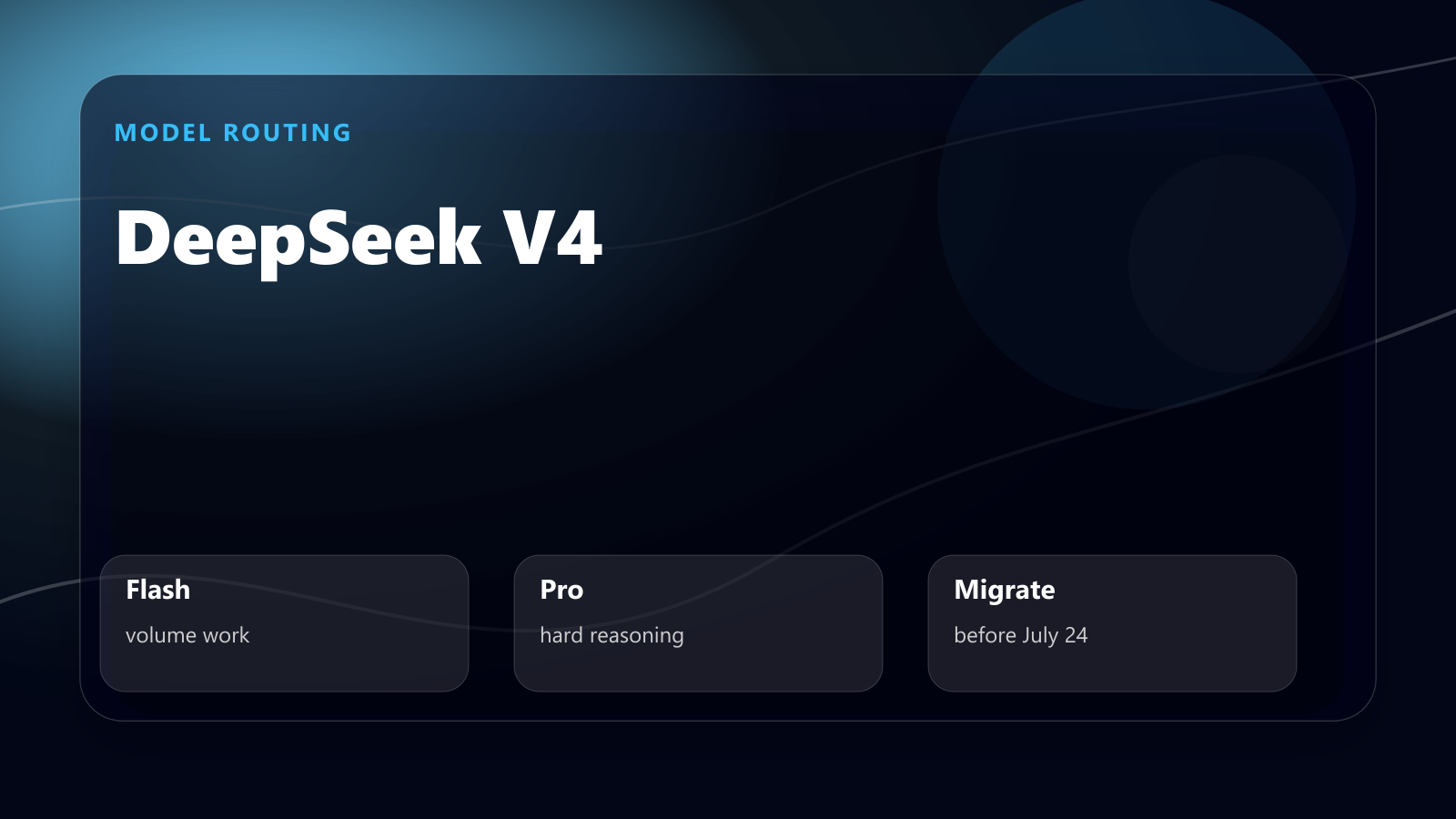
DeepSeek V4 is now the model line developers should pay attention to if they care about low-cost reasoning, long context, and practical API integration.
- The 30-Second Answer
- DeepSeek V4 in One Minute
- V4 Flash vs V4 Pro: Which Should You Use?
- The Migration Issue: deepseek-chat and deepseek-reasoner
- Practical API Example
- Where DeepSeek V4 Looks Most Useful
- What to Test Before Production
- My Recommended Rollout Plan
- Verdict: Should You Use DeepSeek V4?
- Sources
- Related
- Turn this idea into a working AI workflow.
The 30-Second Answer
The important part is not the hype. The important part is the official API surface:
deepseek-v4-flashdeepseek-v4-pro- 1M context length
- 384K maximum output
- JSON output
- tool calls
- OpenAI-compatible and Anthropic-compatible API formats
deepseek-chatanddeepseek-reasonerscheduled for deprecation on July 24, 2026
That is enough to make DeepSeek V4 worth testing, but not enough to justify blindly migrating production workloads.
This guide is the practical version: what to use, what to avoid, and how to evaluate DeepSeek V4 without breaking your stack.
DeepSeek V4 in One Minute
DeepSeek’s official API docs list two V4 models.
| Model | Best For | Cost Profile |
|---|---|---|
deepseek-v4-flash |
high-volume chat, summaries, extraction, cheaper reasoning | very low cost |
deepseek-v4-pro |
harder coding, agent tasks, complex reasoning, long document synthesis | higher cost but still aggressive |
Both support thinking and non-thinking modes. Both support JSON output and tool calls. FIM completion is available in non-thinking mode only.
The headline spec is context: 1M tokens.
That makes DeepSeek V4 interesting for:
- repository-level code review
- long contract or document analysis
- knowledge-base compression
- multi-file migration planning
- content operations across many drafts
- agent workflows that need more context than a normal chat window
But a large context window does not automatically mean better output. It means you can feed the model more information. You still need retrieval discipline, chunking, evaluation, and cost controls.
V4 Flash vs V4 Pro: Which Should You Use?
The simple rule:
| If the job is… | Start with… |
|---|---|
| high-volume and easy to verify | deepseek-v4-flash |
| ambiguous, long-context, or code-heavy | deepseek-v4-pro |
| irreversible or legal/financial | human review after model output |
That split matters because the cheapest model is not always the cheapest workflow. A cheap model that creates silent cleanup work is expensive.
Use DeepSeek V4 Flash for volume
deepseek-v4-flash is the default test model for most teams.
Use it for:
- summarization
- classification
- metadata generation
- structured extraction
- lightweight coding help
- customer support drafts
- content rewriting
- first-pass research synthesis
The pricing is the main reason to start here. Official DeepSeek pricing lists V4 Flash at:
- $0.028 per 1M input tokens on cache hit
- $0.14 per 1M input tokens on cache miss
- $0.28 per 1M output tokens
That is cheap enough to route high-volume mechanical work through it before involving a more expensive frontier model.
Use DeepSeek V4 Pro for hard tasks
deepseek-v4-pro is the model to test when failure costs more than tokens.
Use it for:
- multi-file coding tasks
- harder debugging
- agent planning
- long-context reasoning
- document comparison
- migration plans
- technical writing where accuracy matters
Official pricing lists V4 Pro at:
- $0.145 per 1M input tokens on cache hit
- $1.74 per 1M input tokens on cache miss
- $3.48 per 1M output tokens
That is still low compared with many closed-source frontier models, but it is not free. Treat Pro as your escalation model, not your default for every call.
The Migration Issue: deepseek-chat and deepseek-reasoner
The most urgent practical detail is deprecation.
DeepSeek’s docs say deepseek-chat and deepseek-reasoner will be deprecated on July 24, 2026. For compatibility, those names currently map to V4 Flash:
deepseek-chat= non-thinking mode ofdeepseek-v4-flashdeepseek-reasoner= thinking mode ofdeepseek-v4-flash
If your app still calls deepseek-chat, do not wait until the deadline. Update your model names now.
Recommended migration:
Old:
model: deepseek-chat

New:
model: deepseek-v4-flash
thinking: { "type": "disabled" }
For reasoning workflows:
Old:
model: deepseek-reasoner

New:
model: deepseek-v4-flash
thinking: { "type": "enabled" }
reasoning_effort: "medium"
For harder coding or agent tasks:
model: deepseek-v4-pro
thinking: { "type": "enabled" }
reasoning_effort: "high"
The safe migration path is not “switch everything to Pro.” It is:
- Move old aliases to V4 Flash.
- Measure quality, latency, and cost.
- Escalate only the failing task classes to V4 Pro.
Practical API Example
DeepSeek uses an OpenAI-compatible API format, so migration is straightforward if your code already uses the OpenAI SDK.
import OpenAI from "openai";

const client = new OpenAI({
  baseURL: "https://api.deepseek.com",
  apiKey: process.env.DEEPSEEK_API_KEY,
});

const completion = await client.chat.completions.create({
  model: "deepseek-v4-pro",
  messages: [
    {
      role: "system",
      content: "You are a careful software engineering assistant.",
    },
    {
      role: "user",
      content: "Review this migration plan and identify the riskiest hidden dependency.",
    },
  ],
  thinking: { type: "enabled" },
  reasoning_effort: "high",
  stream: false,
});

console.log(completion.choices[0].message.content);
For production, wrap this with:
- retry handling
- timeout limits
- token budget checks
- prompt logging
- output validation
- task-level quality scoring
Cheap models become expensive when they silently produce bad output at scale.
Where DeepSeek V4 Looks Most Useful
1. Long-context code review
The 1M context window makes V4 interesting for repo-level analysis.
Good use case:
Read these related modules, identify duplicated publishing logic, and propose the smallest safe refactor.
Return the risky assumptions separately from the recommended patch.
Bad use case:
Here is the whole repo. Improve it.
Long context is not a replacement for task design.
2. Content operations
For a WordPress or SEO content workflow, V4 Flash is useful for:
- meta descriptions
- title variants
- category suggestions
- internal link candidates
- affiliate disclosure checks
- duplicate-topic detection
V4 Pro is useful when the task requires judgment:
- merging overlapping drafts
- deciding canonical URLs
- rewriting weak articles
- building a content cluster
- evaluating sponsor-review fit
3. Cost-sensitive agent routing
DeepSeek V4 is strongest when used as part of a routing system.
Example:
| Task | Model |
|---|---|
| Extract metadata | V4 Flash |
| Summarize documents | V4 Flash |
| Generate first draft | V4 Flash or Pro |
| Resolve conflicting claims | V4 Pro |
| Final editorial judgment | Human or higher-trust model |
| Production deploy decision | Human |
The goal is not to replace every model. The goal is to stop using expensive intelligence for cheap work.
What to Test Before Production
Before moving real workloads to DeepSeek V4, test five things.
1. JSON reliability
If your app depends on structured output, test invalid JSON rate across at least 100 real examples.
2. Tool-call behavior
Do not assume tool calls behave exactly like another provider. Test argument quality, unnecessary tool calls, and recovery after tool errors.
3. Long-context retrieval
Put facts at the beginning, middle, and end of long prompts. Check whether the model retrieves the right detail under pressure.
4. Cost under realistic output length
Output tokens matter. Long reasoning can make a cheap input price misleading.
5. Failure style
Every model fails differently. You need to know whether V4 fails by being vague, overconfident, too terse, too verbose, or structurally wrong.
That matters more than a benchmark screenshot.
My Recommended Rollout Plan
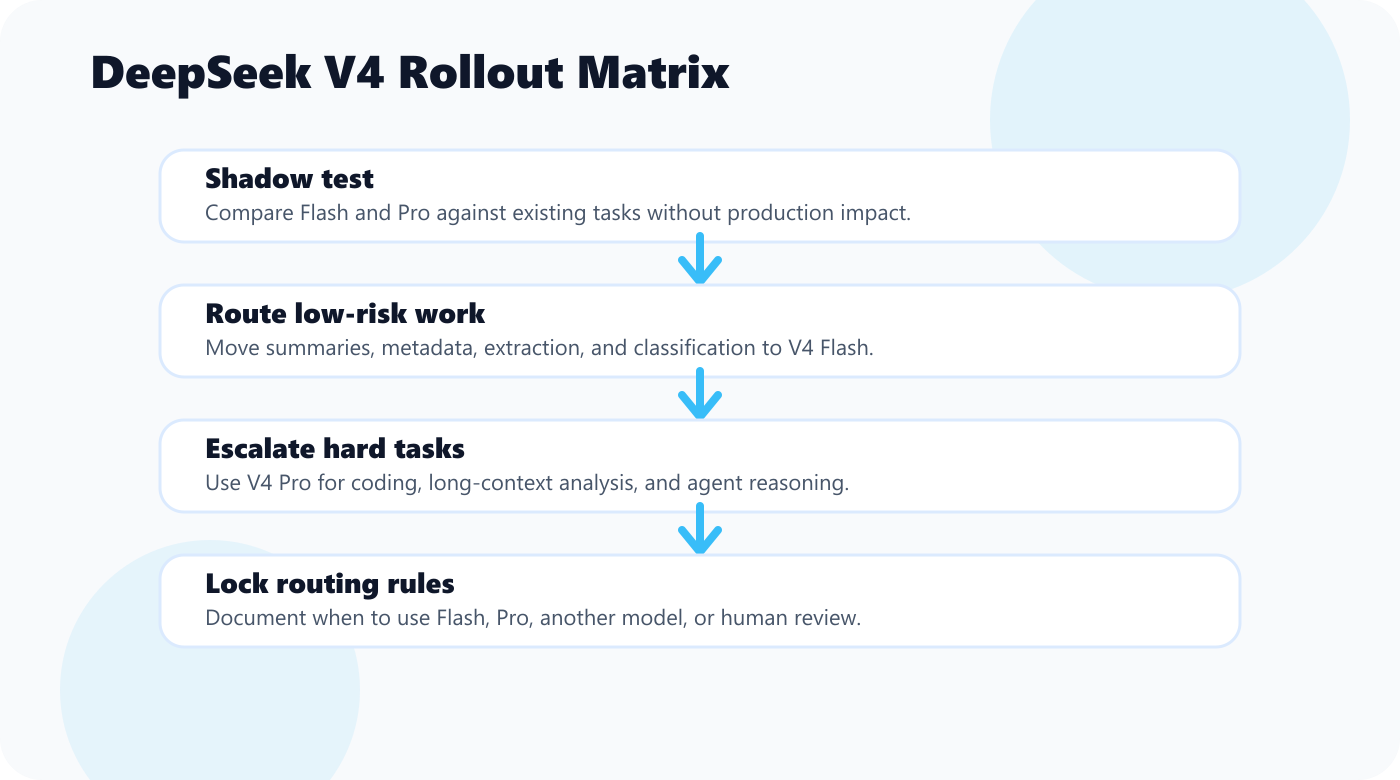
Week 1: Shadow test
Run V4 Flash and V4 Pro against existing tasks without using their output in production.
Track:
- accuracy
- latency
- output tokens
- manual correction time
- failure category
Week 2: Route low-risk work
Move safe tasks to V4 Flash:
- summaries
- tags
- metadata
- draft outlines
- extraction
Keep a human review step.
Week 3: Escalate hard tasks to V4 Pro
Use V4 Pro for:
- long technical docs
- code review
- migration planning
- agent reasoning
Compare against your current model, not against marketing claims.
Week 4: Lock routing rules
Create a routing policy:
Flash: high-volume mechanical work
Pro: ambiguous reasoning and code tasks
Other frontier model: final judgment or tasks where trust matters more than cost
Human: publishing, legal, payment, production migration
That is how you get cost savings without turning your system into a quality lottery.
Verdict: Should You Use DeepSeek V4?
Yes, you should test it.
But the best use is not “replace everything.” The best use is routing.
Use V4 Flash as a cheap workhorse. Use V4 Pro as an escalation model for hard reasoning and coding. Keep human review on irreversible decisions. Update old deepseek-chat and deepseek-reasoner calls before the deprecation date.
DeepSeek V4 is most interesting because it combines low pricing, 1M context, and practical API compatibility. That makes it one of the strongest candidates for high-volume AI workflows in 2026.
The teams that benefit most will not be the ones chasing hype. They will be the ones with clear evaluation tasks, cost budgets, and routing rules.
If you remember one line, make it this:
Use V4 Flash to lower the cost floor, and V4 Pro only where quality failure costs more than tokens.
Sources
- DeepSeek API Docs: Your First API Call
- DeepSeek API Docs: Models & Pricing
- DeepSeek API Docs: API Reference

コメント